Campaigns
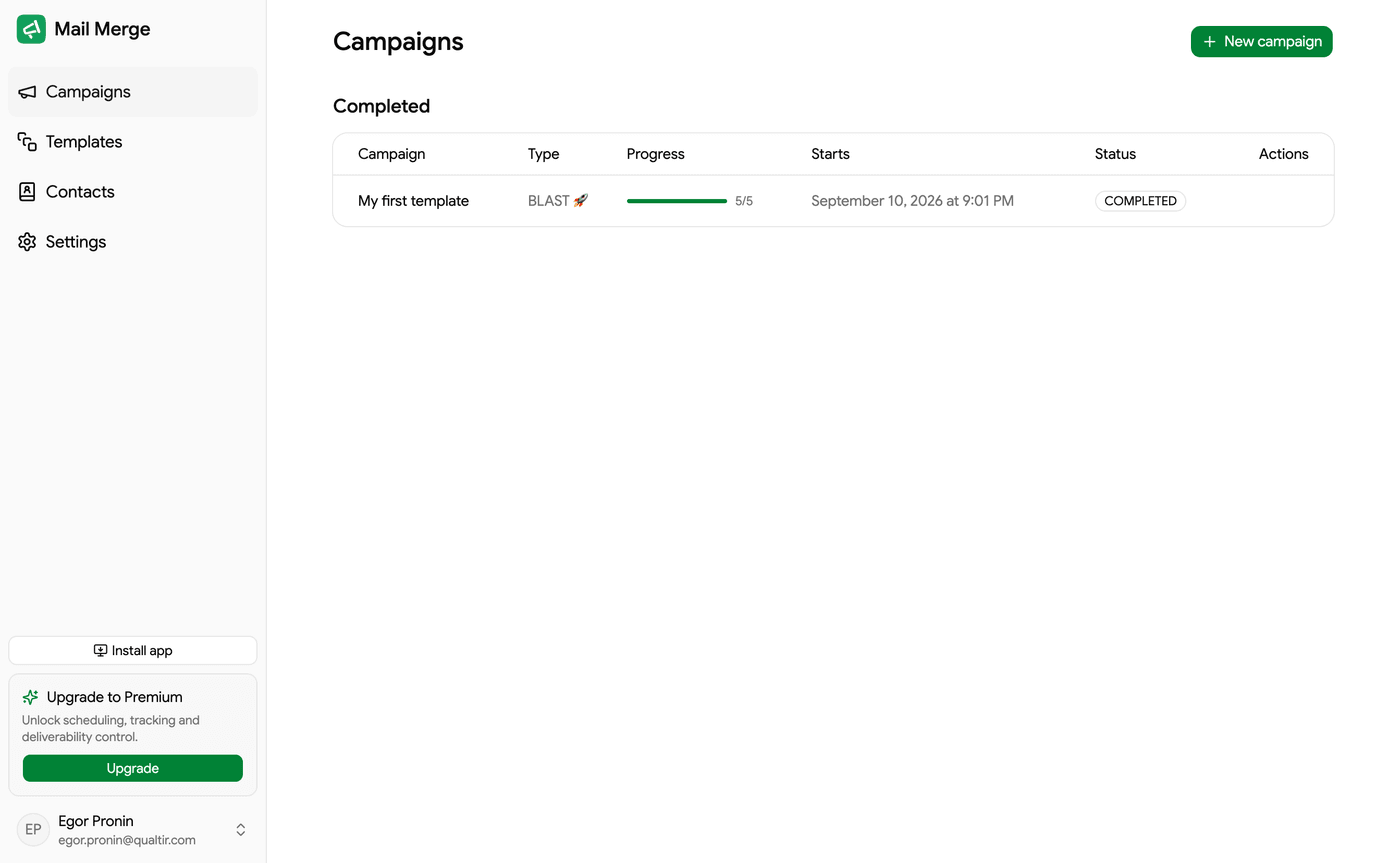
The Campaigns screen is the home of the web app. It lists every campaign started from Google Sheets or from the web app, grouped in three tabs, and it is where you launch new ones with New campaign (or Compose in the sidebar).
The campaign list
Section titled “The campaign list”| Tab | What it holds |
|---|---|
| Active campaigns | Campaigns that are sending right now, or paused. |
| Scheduled | Campaigns set to start later, and Autopilot campaigns waiting for their next window. |
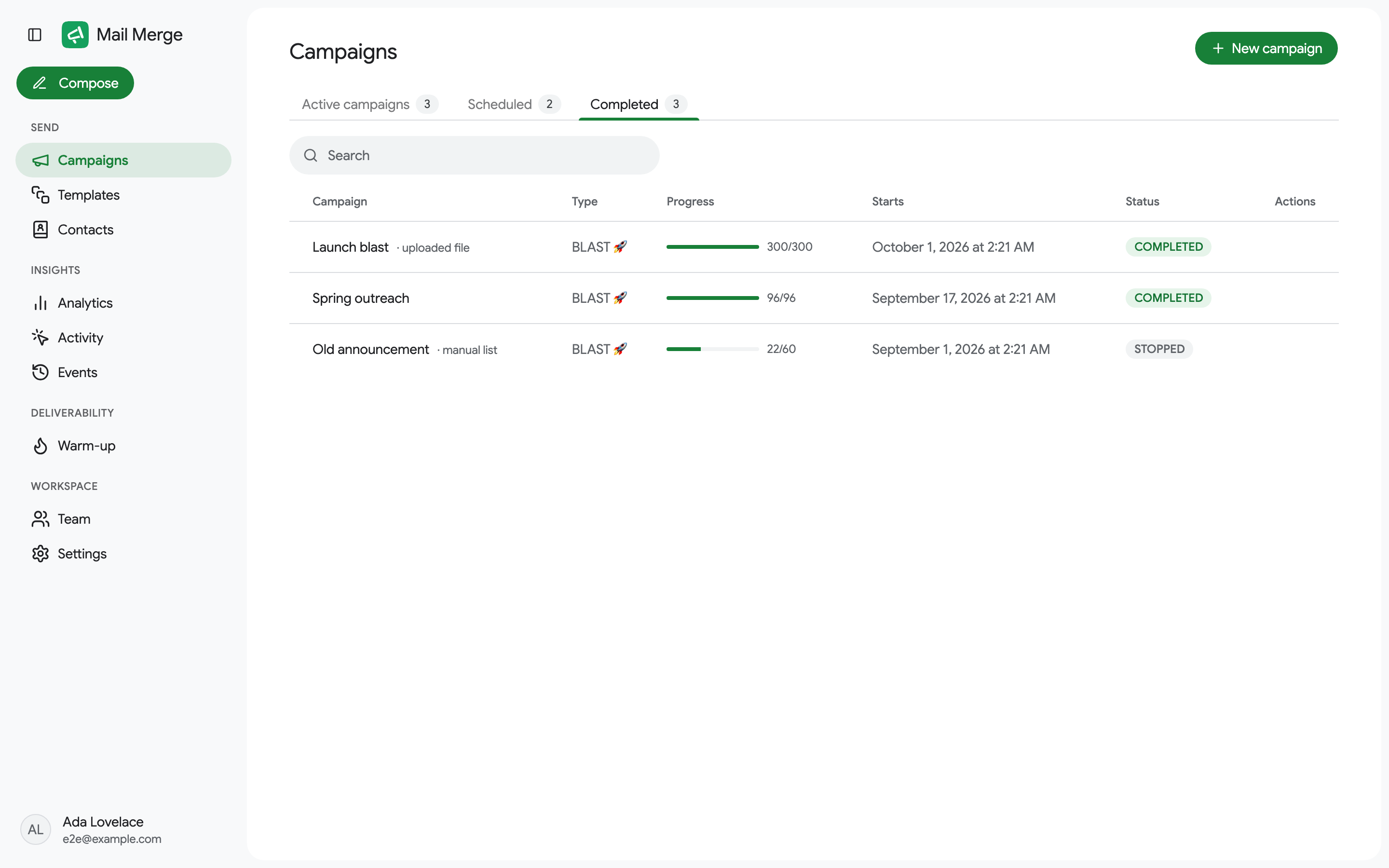
| Completed | Campaigns that finished or were stopped. |
The screen opens on the first tab that has something in it. A brand-new account sees an empty state with a New campaign button instead. A Search box filters the current tab by campaign name, subject, type or status.
Each row shows:
- Campaign: the template name it was sent with. Campaigns that did not come from a spreadsheet carry a suffix: uploaded file, from contacts or manual list. Follow-up campaigns carry a Follow-up badge.
- Type: BLAST (as fast as Gmail allows), DELAY (a pause between emails, see Settings) or AUTOPILOT (dripped over several days).
- Progress: a bar and
sent / total. - Starts: when the campaign began, or will begin.
- Status:
ACTIVE,PAUSED,COMPLETED,STOPPED, orFailed to startfor a campaign that could not be queued. A campaign larger than your daily limit carries Continues daily until done: Mail Merge sends what fits each day until everyone has been emailed (see Sending). A campaign paused because Google restricted the Gmail account reads Paused: Gmail restricted (see If Google restricts your Gmail account).
Row actions
Section titled “Row actions”Hover a row to reveal its actions, which depend on the tab.
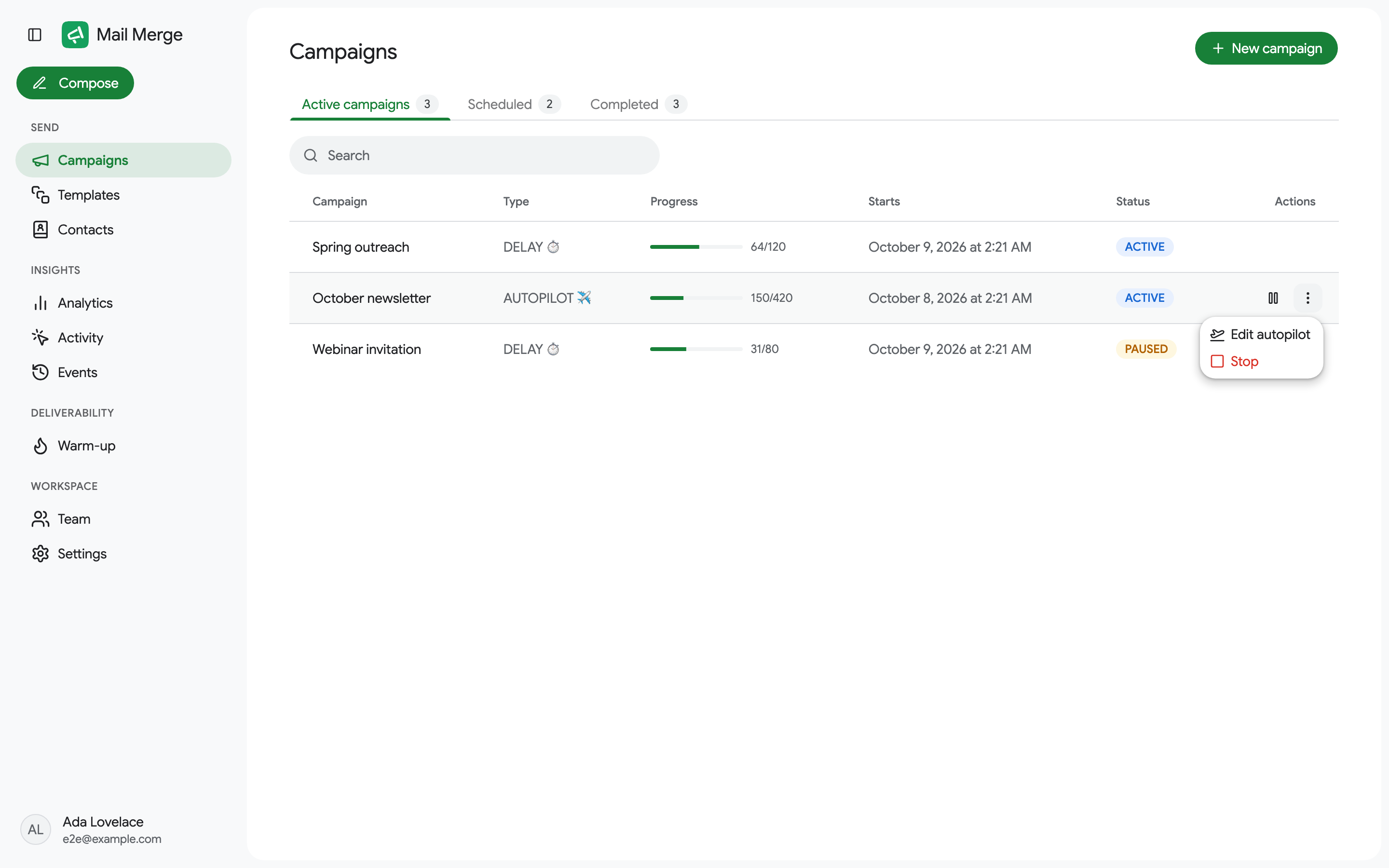
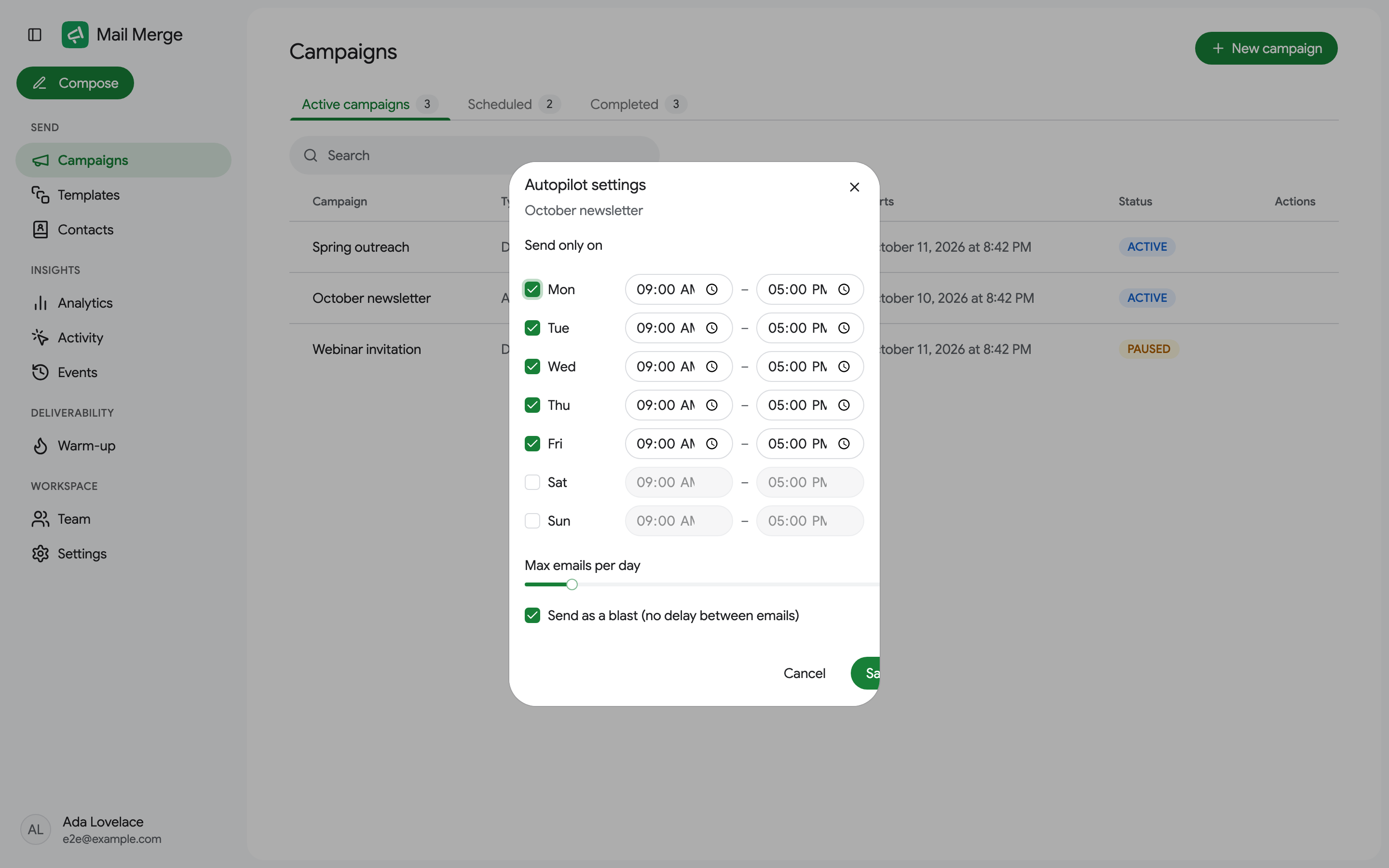
Active campaigns: a Pause button on a running campaign, Resume on a paused one, and a ⋮ menu with Edit autopilot (Autopilot campaigns only), Stop, and Delete (failed campaigns only).
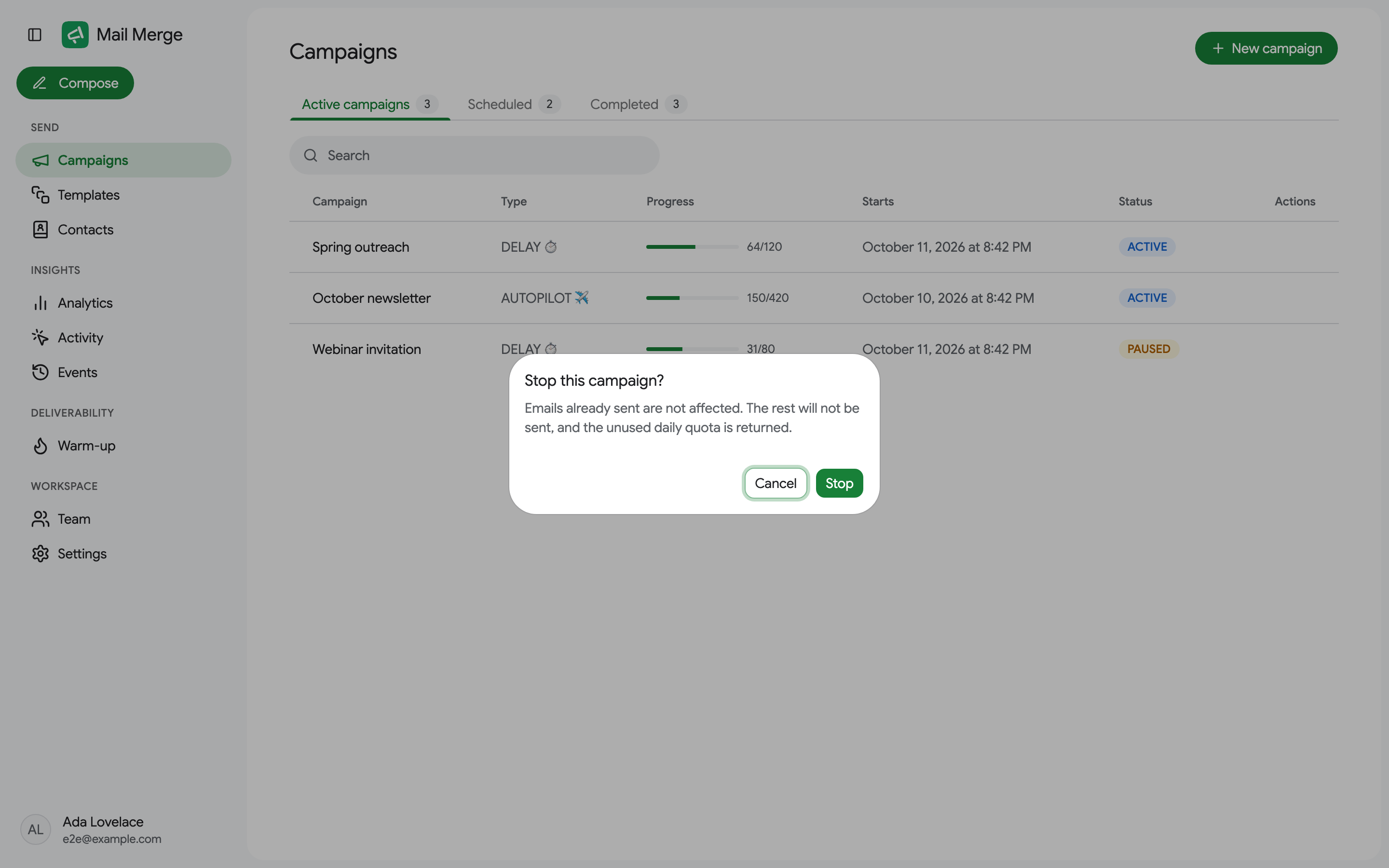
Stop ends the campaign for good: emails already sent are unaffected, the rest are never sent, and the unused daily quota is given back. Pending rows in your sheet become Cancelled. Pause keeps the queue, so you can resume later; pending rows show Paused.
Scheduled: Edit send date and Delete.
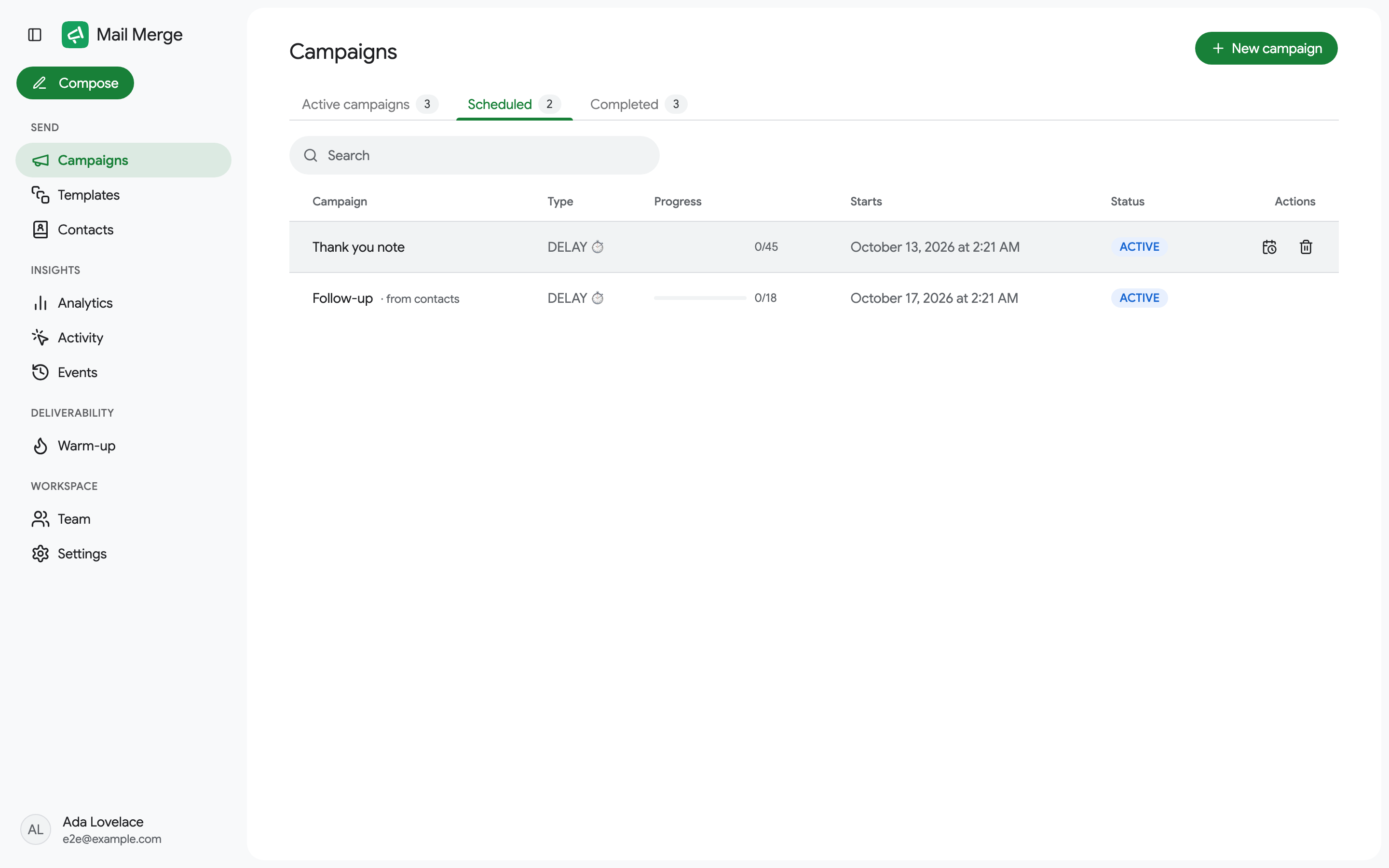
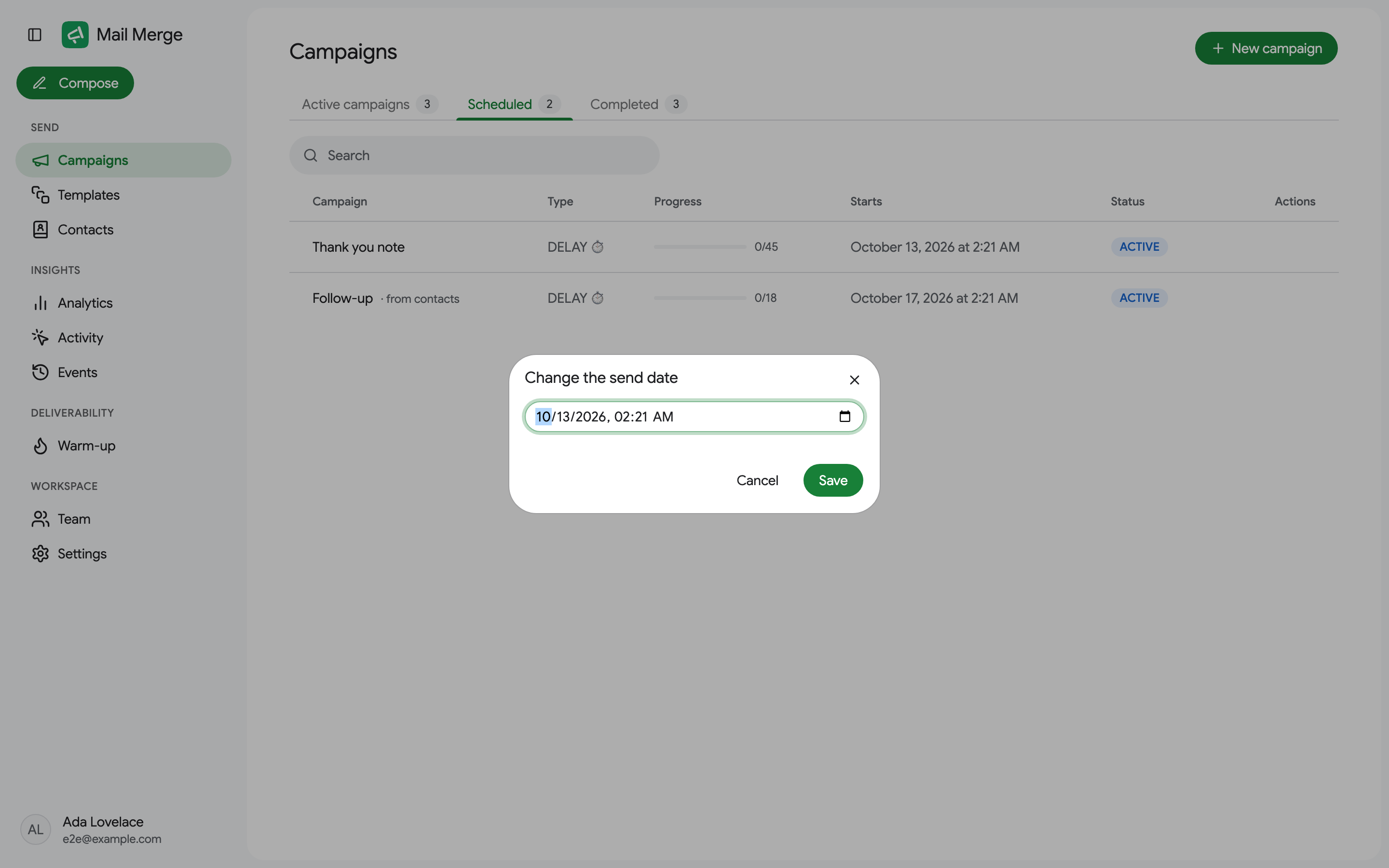
Edit send date opens a date and time picker; the campaign moves to the new time and its sheet rows stay Scheduled. Delete cancels the campaign and removes it, together with its recipient data and attachments.
Completed: no actions, except Delete on a failed campaign.
Editing a running Autopilot campaign
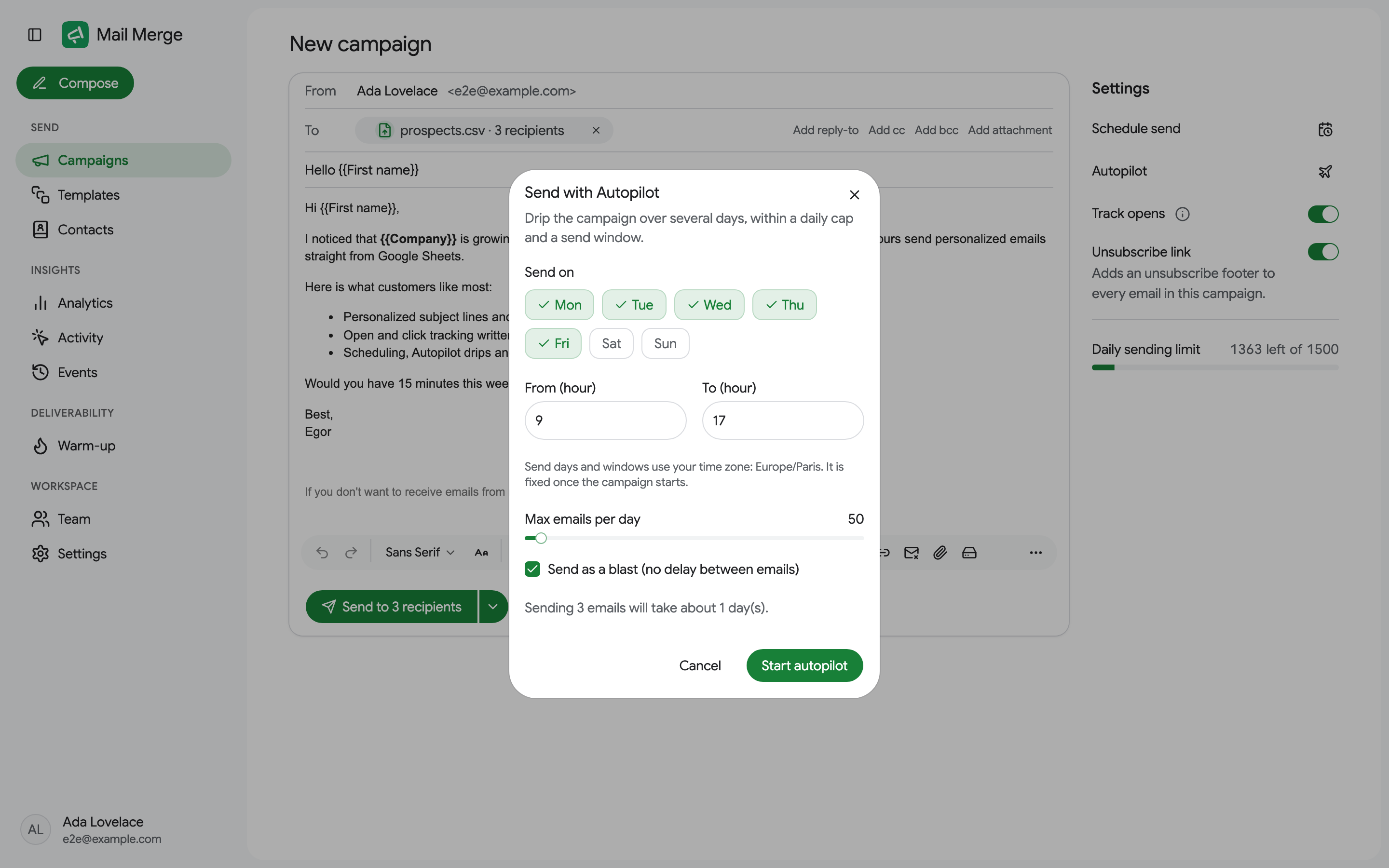
Section titled “Editing a running Autopilot campaign”Edit autopilot changes the schedule of a campaign that is already dripping: the days of the week and the hours it may send on, the maximum emails per day, and whether emails go out as a blast or with a delay between them. The time zone is fixed once the campaign starts.
Campaign details
Section titled “Campaign details”Click a row to open the campaign. The summary card shows the status, type, source (a link to the spreadsheet, or the file, contact book or manual list it came from), how many emails were sent, the start time and whether open tracking was on. Refresh reloads the statuses while the campaign is sending.
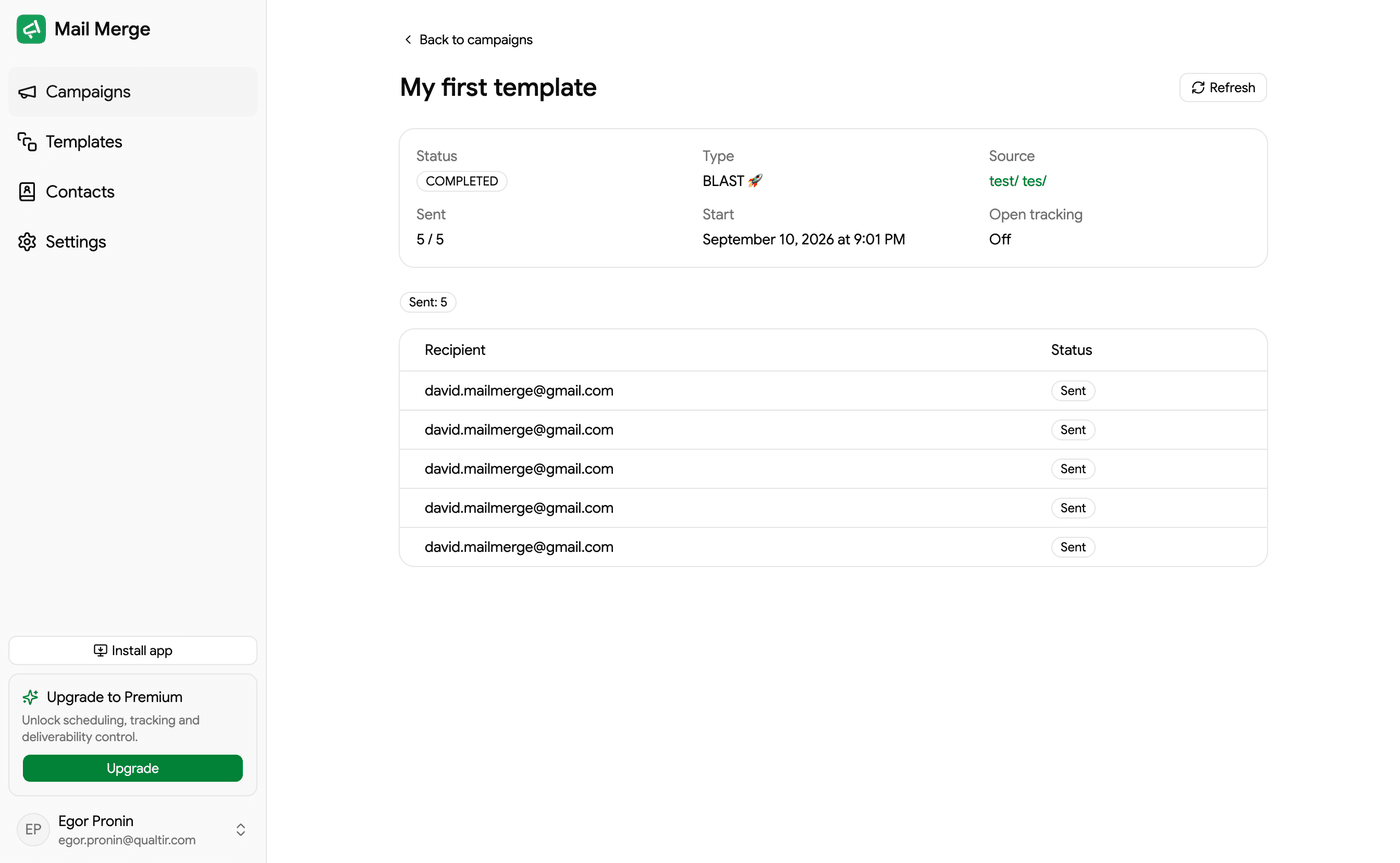
For tracked campaigns, four cards count Sent, Opened, Clicked and Unsubscribed, with open and click rates. Below, every recipient is listed with its status, and chips at the top count the recipients per status. Every status is explained on Campaign and recipient statuses.
A campaign that is part of a follow-up sequence also shows a Sequence funnel: for each email of the sequence, how many were sent, opened, clicked, replied, bounced, skipped and unsubscribed.
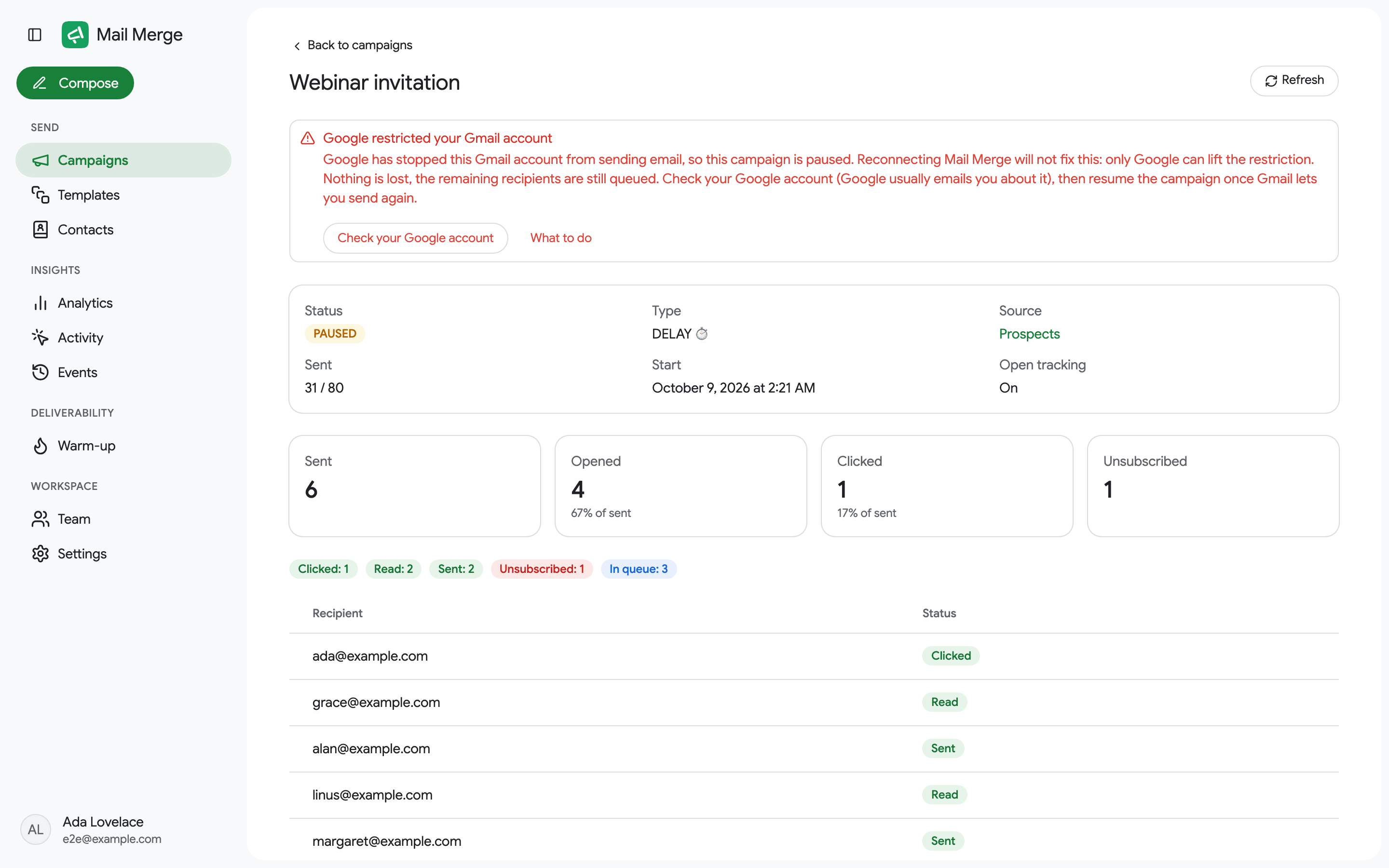
When Google has restricted your Gmail account, the detail page explains it at the top and links to what to do. Reconnecting Mail Merge does not lift a Google restriction; only Google can.
Sending a campaign from the web app
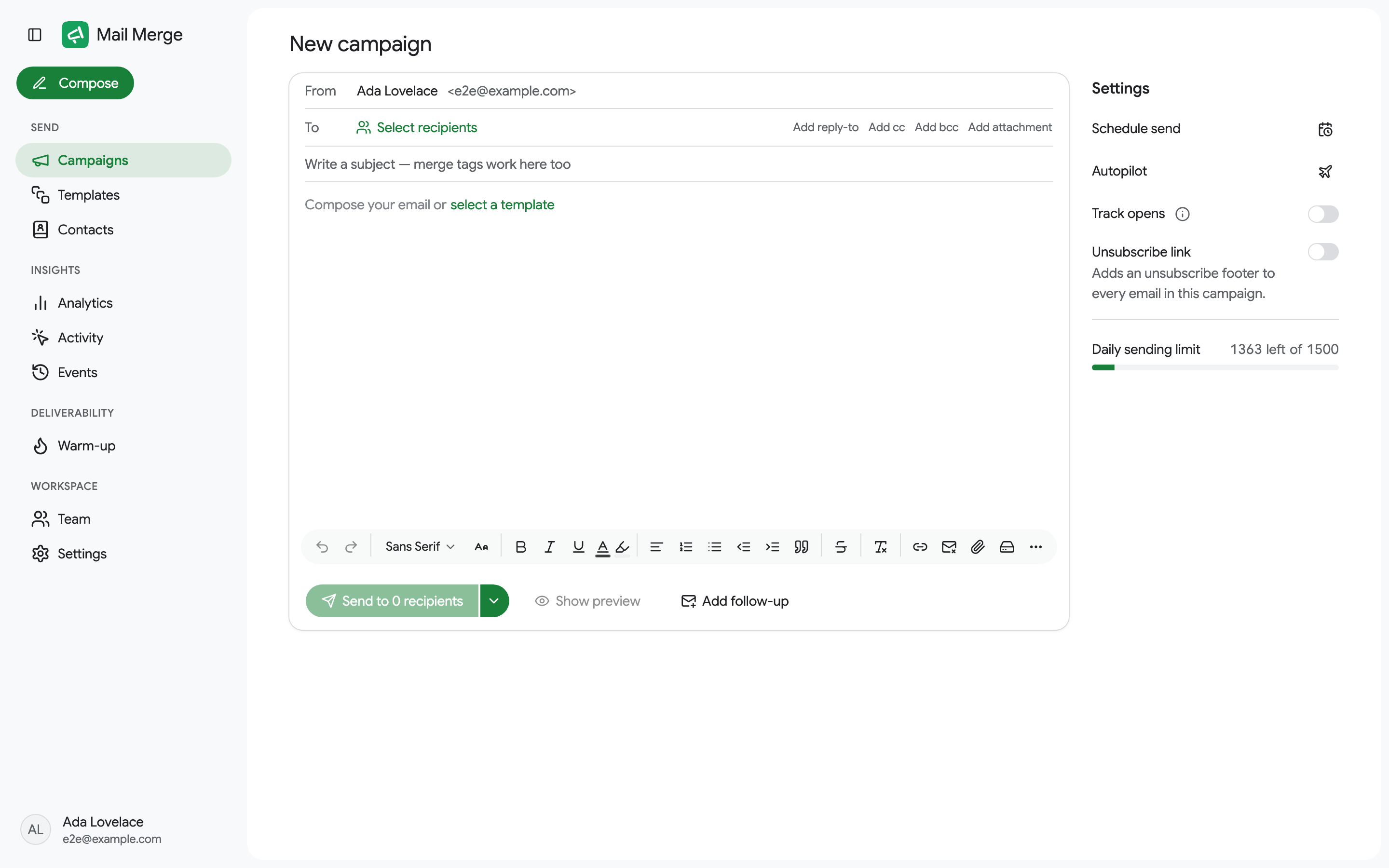
Section titled “Sending a campaign from the web app”New campaign opens the same single-screen builder you get from Google Sheets, except that you choose where the recipients come from.
Choosing recipients
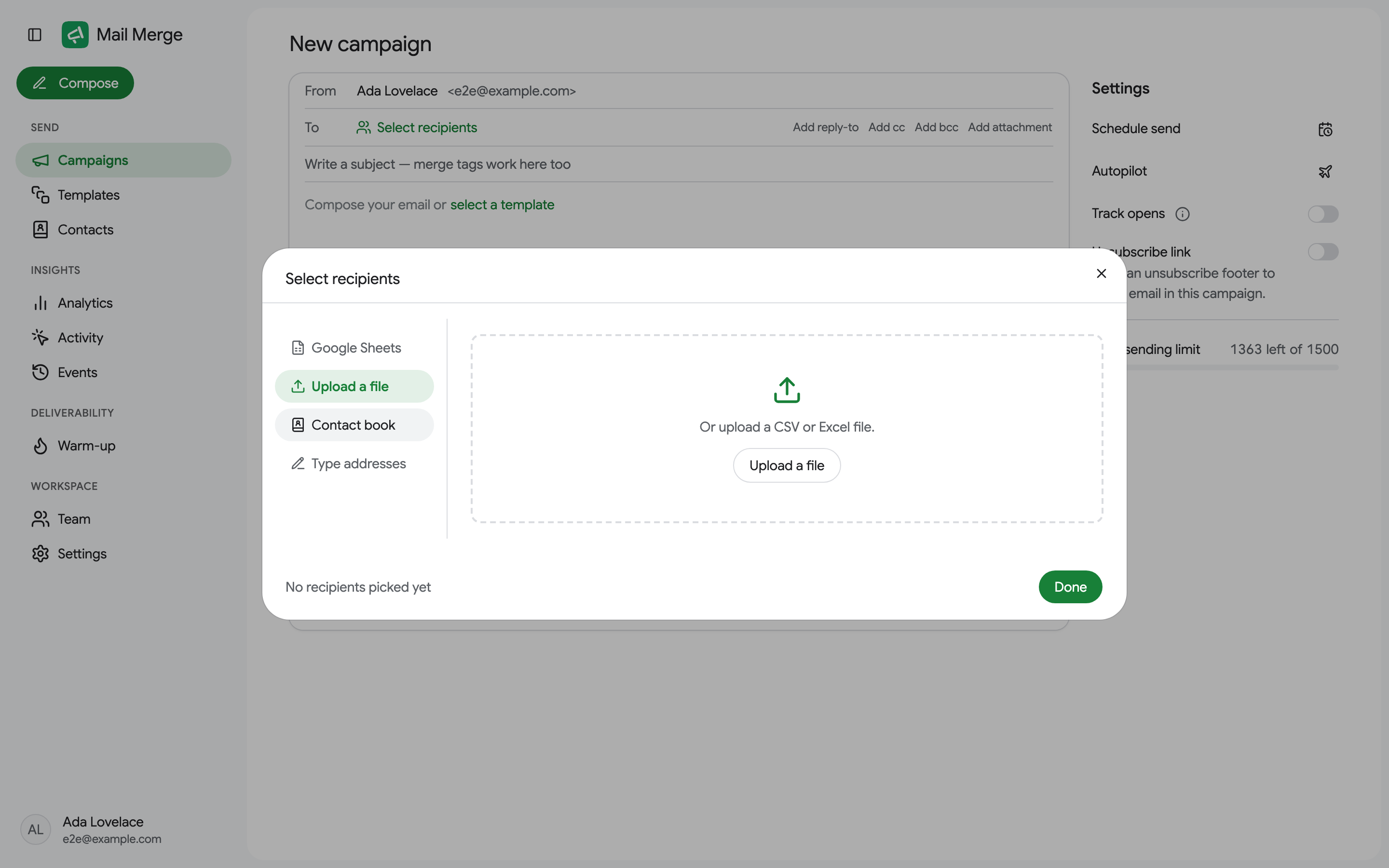
Section titled “Choosing recipients”Click Select recipients. The dialog offers four sources:
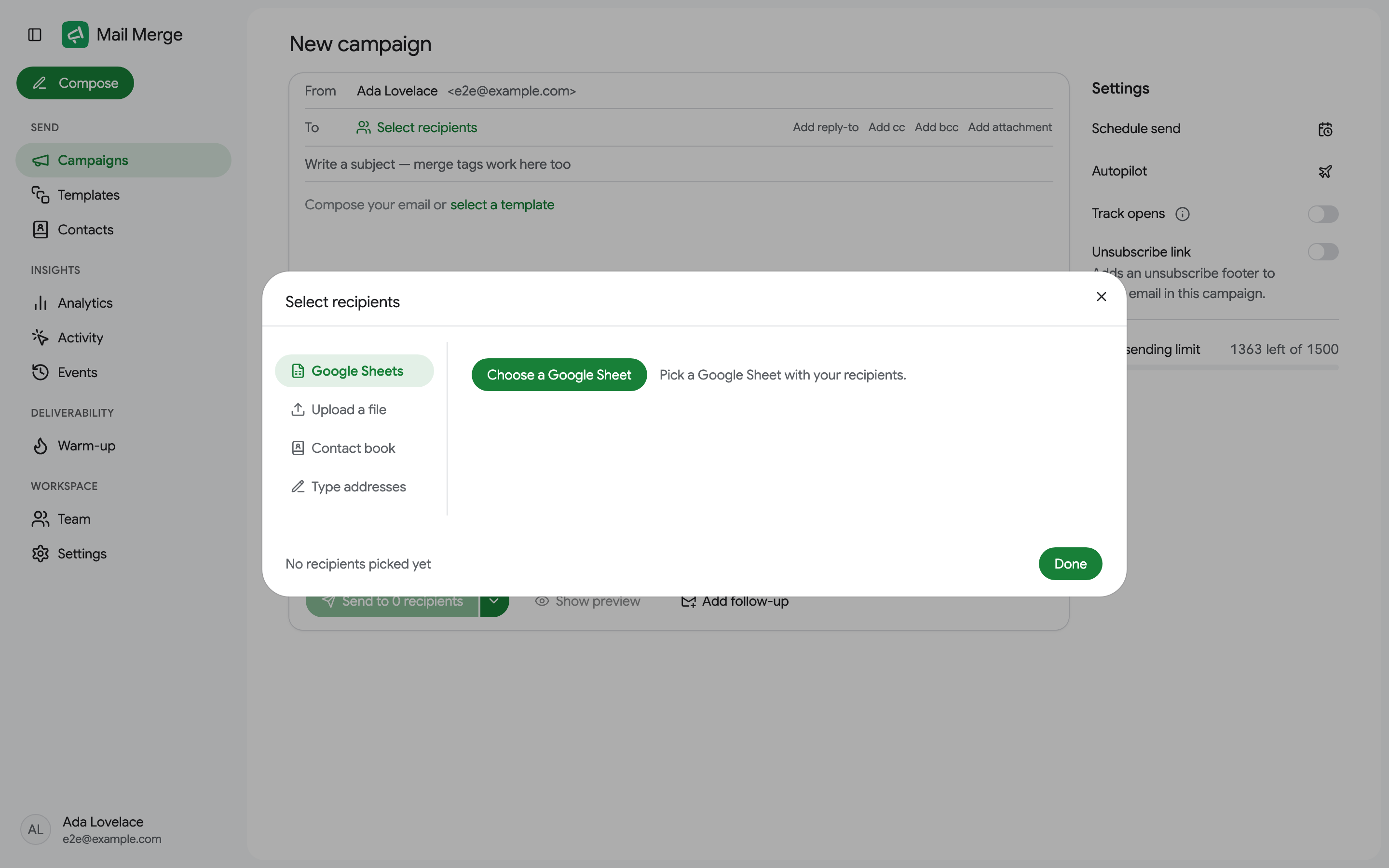
- Google Sheets: Choose a Google Sheet opens Google’s file picker. A spreadsheet with several tabs shows a preview so you can pick the right one, then Use “tab name”. Up to 10,000 rows are loaded.
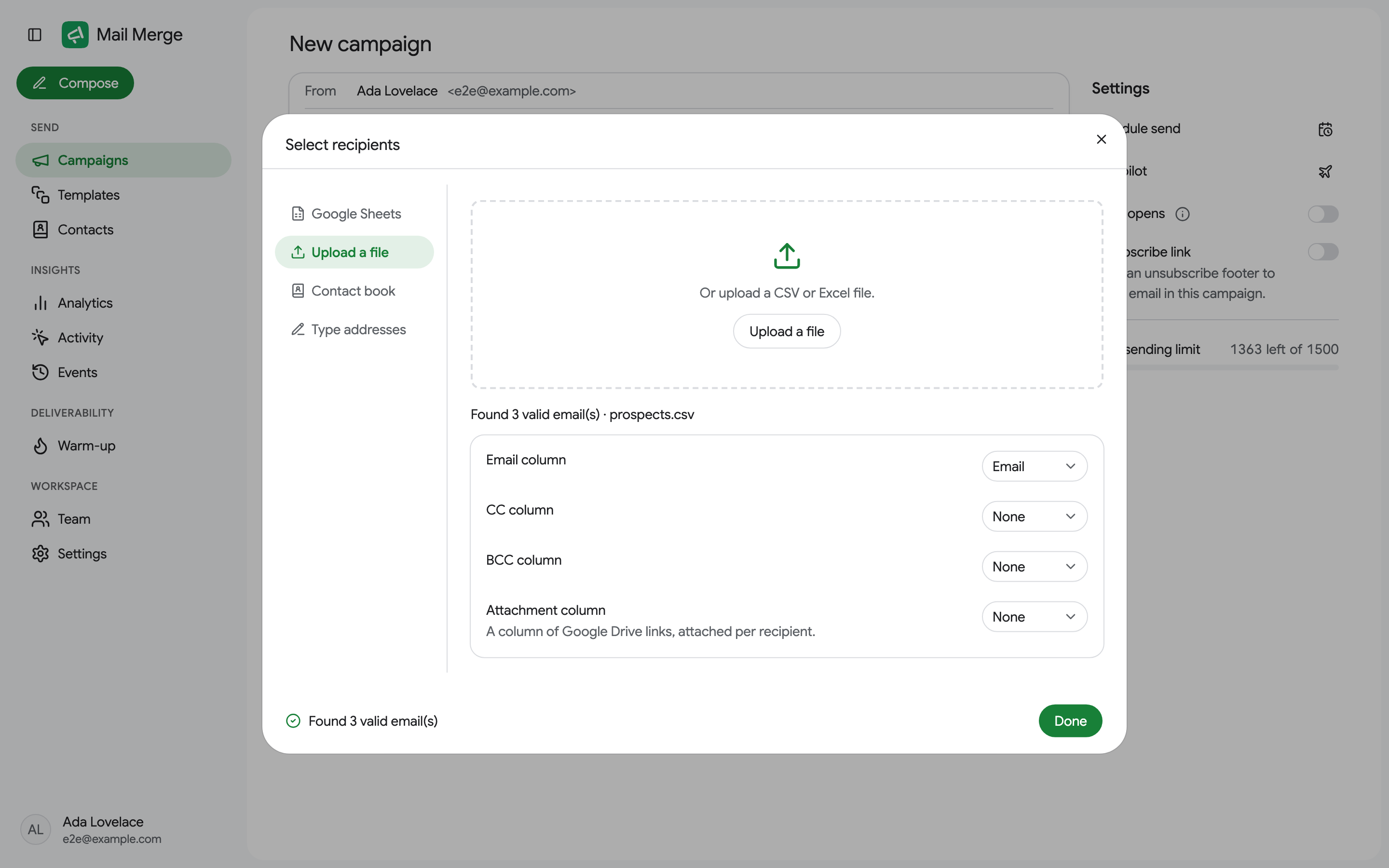
- Upload a file: drop or upload a CSV or Excel file. The first row must hold the column names.
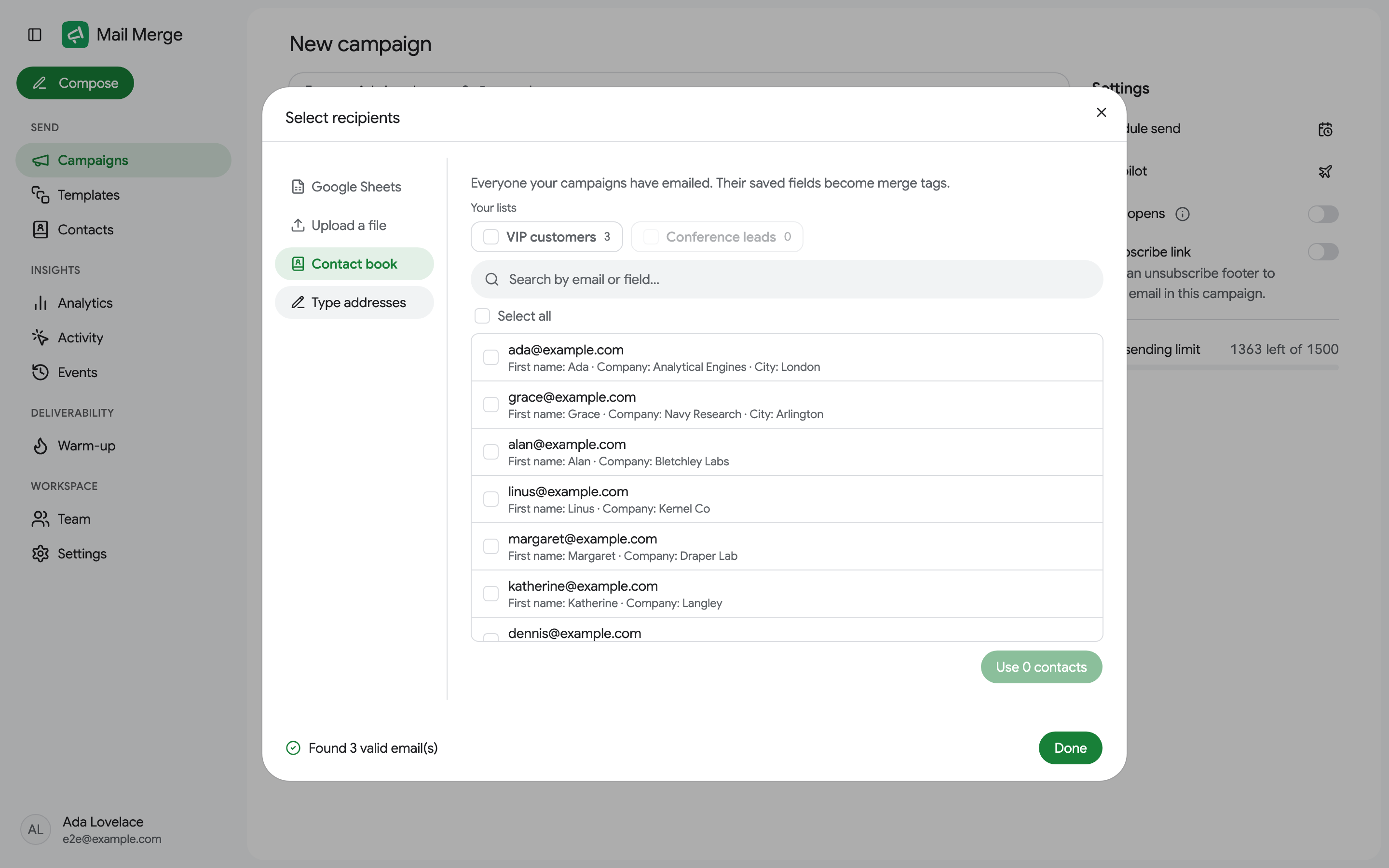
- Contact book: pick people from your contacts, with Select all, a search box and your contact lists as filters. Their saved fields become merge tags.
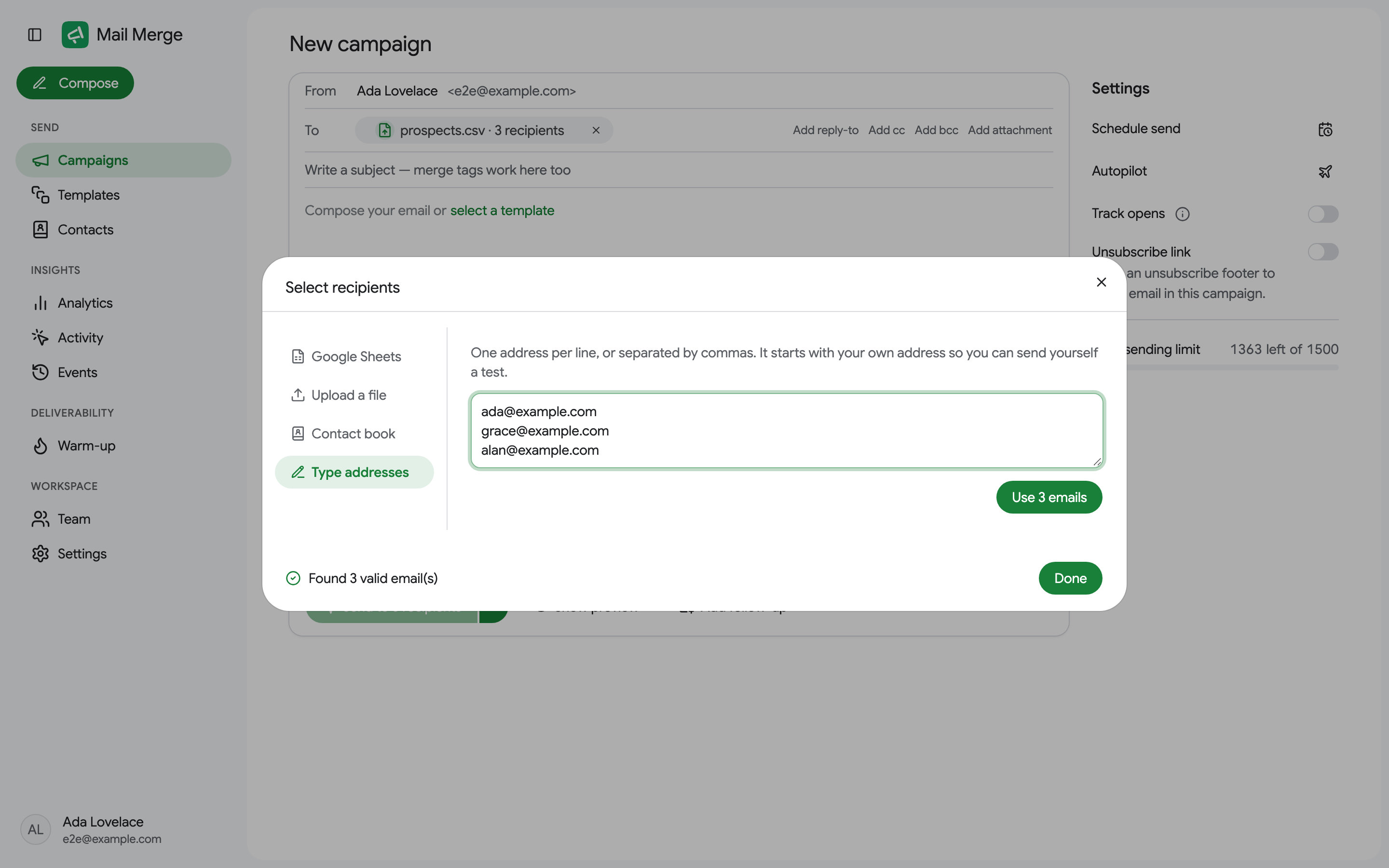
- Type addresses: paste a list of addresses, one per line or separated by commas. The list starts with your own address, handy for a test to yourself.
For a sheet or a file, Mail Merge detects the Email column automatically and lets you map optional CC, BCC and Attachment columns (a column of Google Drive links, attached per recipient).
Only visible rows
Section titled “Only visible rows”You do not need a separate tab for each segment of your list. Filter the tab in Google Sheets (or hide the rows you do not want), and Mail Merge offers an Only visible rows (visible of total) switch next to the column mapping, or right under the To row inside Google Sheets. It is on by default whenever the tab has hidden rows:
- On: only the rows you can see are sent to. Hidden rows are left out of the campaign entirely: no email, and nothing written into their status cell.
- Off: every row is sent to, filtered or not.
The recipient count, the preview and the send button all follow the switch, so “Send to 12 recipients” means the 12 rows you are looking at.
Skip people you already emailed
Section titled “Skip people you already emailed”Mail Merge keeps a contact book of everyone your campaigns have emailed. When you load recipients, it checks them against that book and, if some of them have received a campaign before, tells you so above the message: “{n} of these people already received a campaign from you”, with a choice:
- Send anyway (the default): everyone gets the email.
- Skip anyone I ever emailed: people found in your contact book are left out, whatever campaign or spreadsheet they came from.
- Skip only people emailed from this sheet: only offered for a Google Sheets source. People you emailed from another spreadsheet are still included; only those already emailed from this same spreadsheet are skipped (campaigns sent before this option existed are not matched, since their spreadsheet was not recorded).
Skipped rows get Skipped in the sheet’s status column, with a note explaining why, and show as Skipped in the campaign’s recipient list. Nothing is shown when none of the recipients were emailed before.
Writing the email
Section titled “Writing the email”The compose card works like a Gmail compose window:
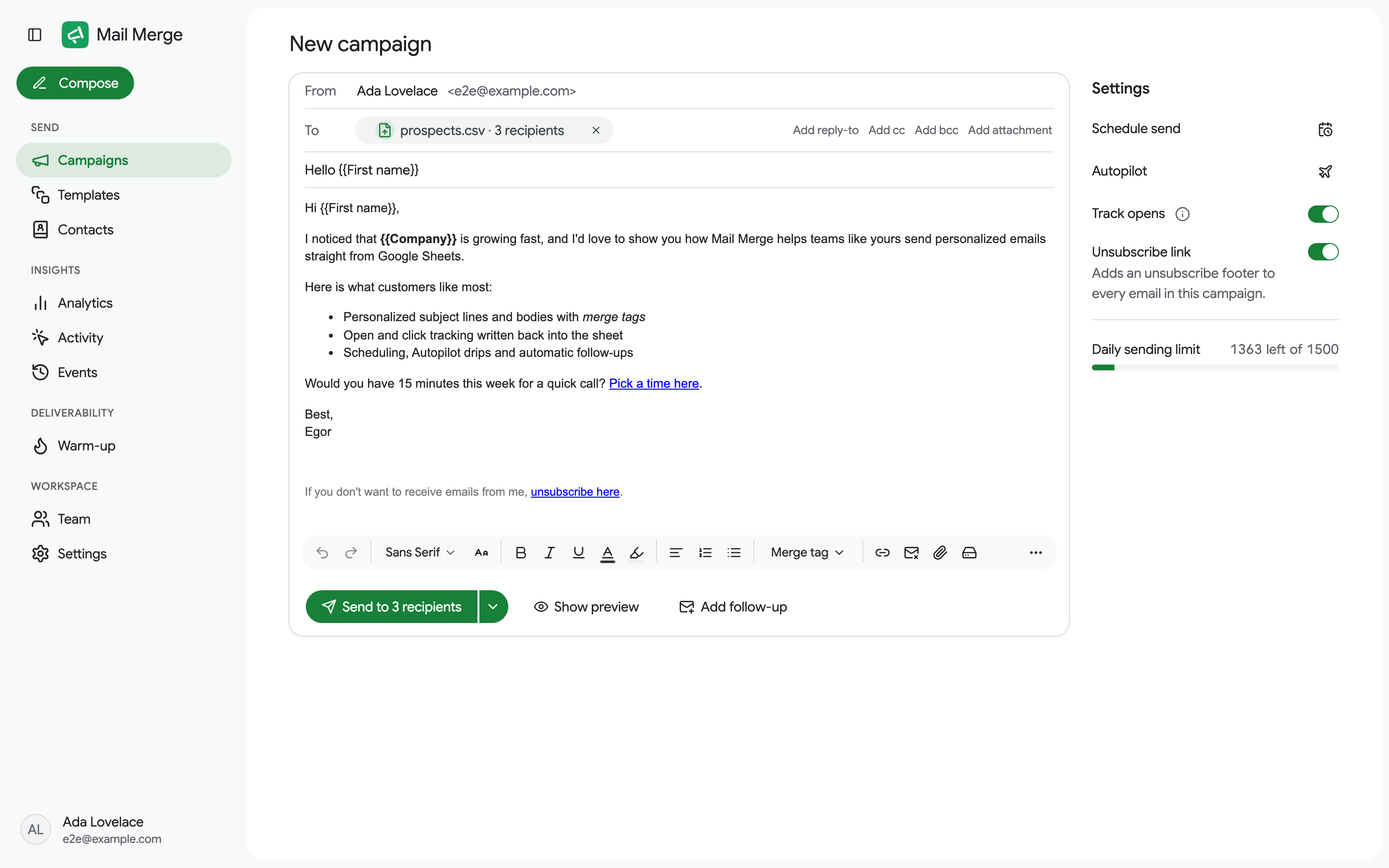
- From: the sender name recipients see. It is pre-filled from your Google profile and you can change it per campaign.
- To: the chip names the source and counts the recipients. The links on the right add a reply-to address, CC and BCC columns, or an attachment column.
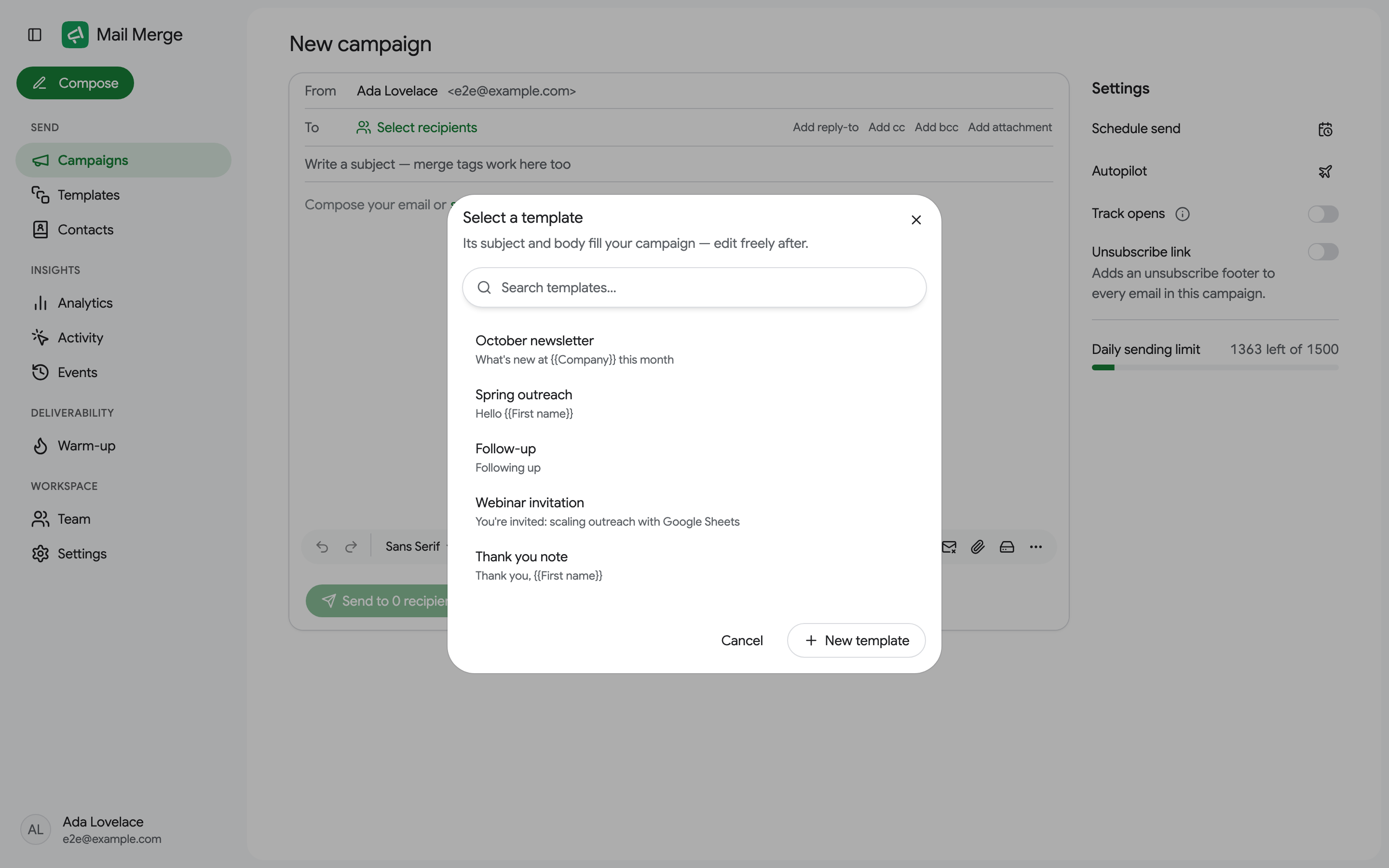
- Subject and body, both accepting merge tags. The empty editor offers select a template to insert one of your templates; you can still edit the result.
- A/B test subject, under the subject row, tries two or three subject lines on the same campaign (Professional). See A/B testing the subject line.
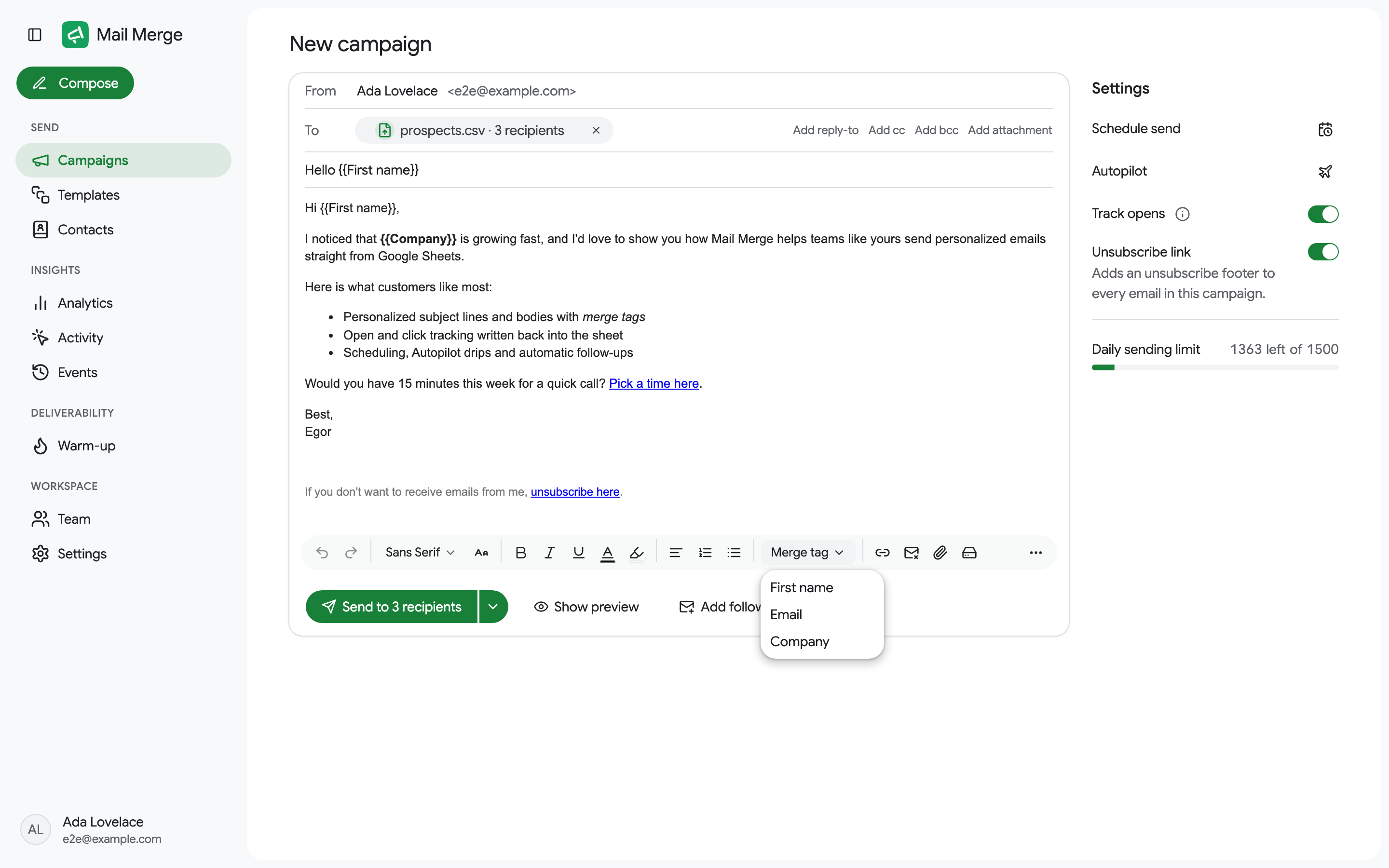
- The toolbar: fonts and sizes, bold, italic, underline, colors, alignment, lists, indentation, quotes, Merge tag, Insert link, Unsubscribe link, Attach a file or image, Attach from Google Drive and a More menu with the remaining formatting (strikethrough, clear formatting, special characters, tables, HTML source).
AI fields
Section titled “AI fields”An AI field is a merge tag whose value is written by AI for every recipient, from that recipient’s own row: an icebreaker built from the Company and Website columns, a compliment about a recent launch, a reason to reach out. It is part of the Professional plan.
Open the Merge tag menu and pick AI field… at the bottom:
- Field name is the tag you will use,
{{Icebreaker}}for a field called Icebreaker. Letters, digits, spaces,_and-only, and not the name of an existing column. - What should it say? is your instruction. Click a column chip to reference it as
{{Company}}; the AI sees the whole row anyway, but a reference tells it what matters. Pick a tone: friendly, formal or concise. - Preview 3 rows writes the field for the first three recipients. The results are editable, so you can fix one by hand before going further.
- Generate for all N rows writes it for every recipient, 100 at a time, with a progress bar and a Cancel that keeps what was already generated. A campaign can have up to 500 recipients per AI field, and an account up to 2,000 AI rows per day.
- Save and insert puts
{{Icebreaker}}at the cursor. It also appears in the Merge tag menu, so you can use it again in the subject or anywhere in the body, and the preview shows every recipient’s own line.
Each answer is plain text of at most 60 words, with no greeting and no sign-off, written only from what the row contains: a row that lacks the needed columns gets an empty answer. A recipient without a value keeps the tag unresolved, and the unresolved-tag check before sending lists those rows so none goes out with a raw {{Icebreaker}}. The values live with the draft: changing the recipients clears them, and nothing is written back to your spreadsheet.
The same generation is available to AI agents through the generate_ai_field tool.
Settings
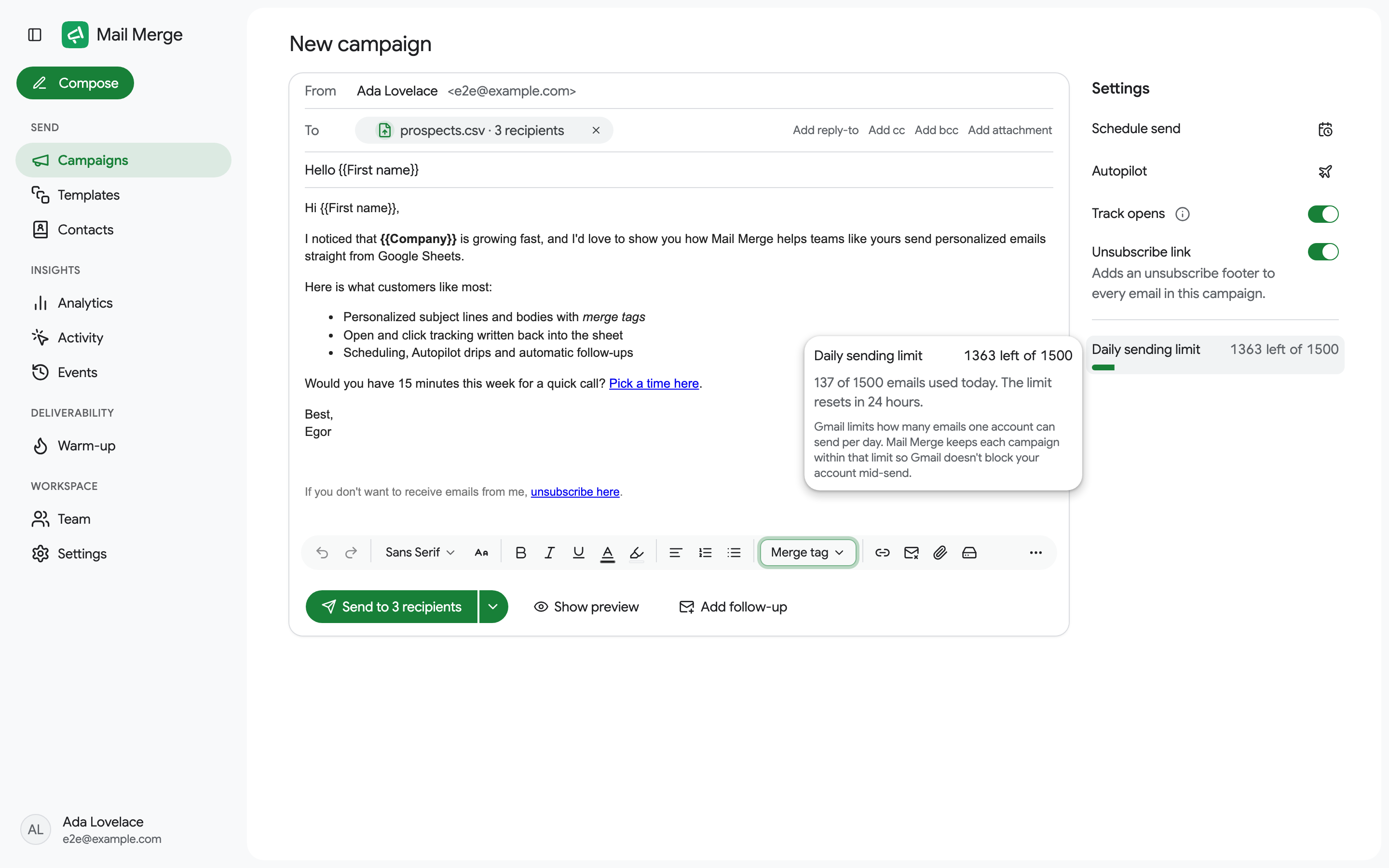
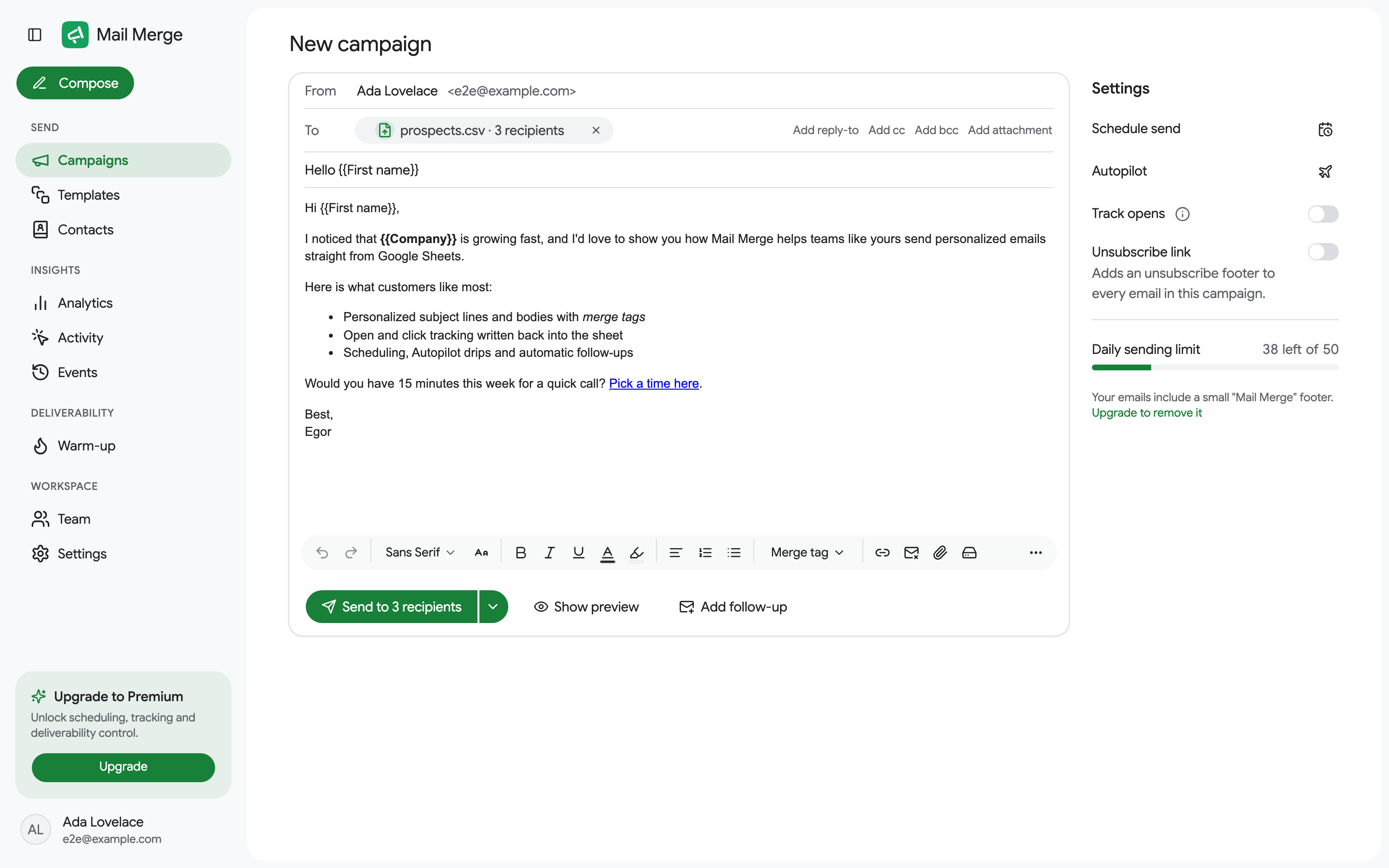
Section titled “Settings”The Settings column on the right (at the bottom of the window inside Google Sheets):
- Schedule send picks a date and time, at least two hours ahead, in your time zone (Personal and Professional plans). See Campaign scheduling.
- Autopilot drips the campaign over several days within a daily cap and a send window. See Autopilot.
- New form response turns the campaign into an automation: every new Google Forms response added to the tab gets the email. See Send on new form responses.
- Track opens turns on open tracking; on the Personal and Professional plans it also tracks clicks on your links.
- Unsubscribe link adds an unsubscribe footer to every email. See Unsubscribe link.
- Daily sending limit shows how many emails you can still send today. Hover it for the details, including a hint when the campaign does not fit. See Daily sending limits.
Free accounts also see a reminder that their emails carry a small Mail Merge footer, with a link to remove it.
Follow-ups
Section titled “Follow-ups”Add follow-up, in the bottom bar, chains up to five more emails, each sent after a delay you choose to the recipients matching its condition: everyone, those who did not open (the default), did not click, opened or clicked the previous email. Anyone who replied, bounced or unsubscribed is skipped whatever the condition. See Follow-up sequences.
Preview and test
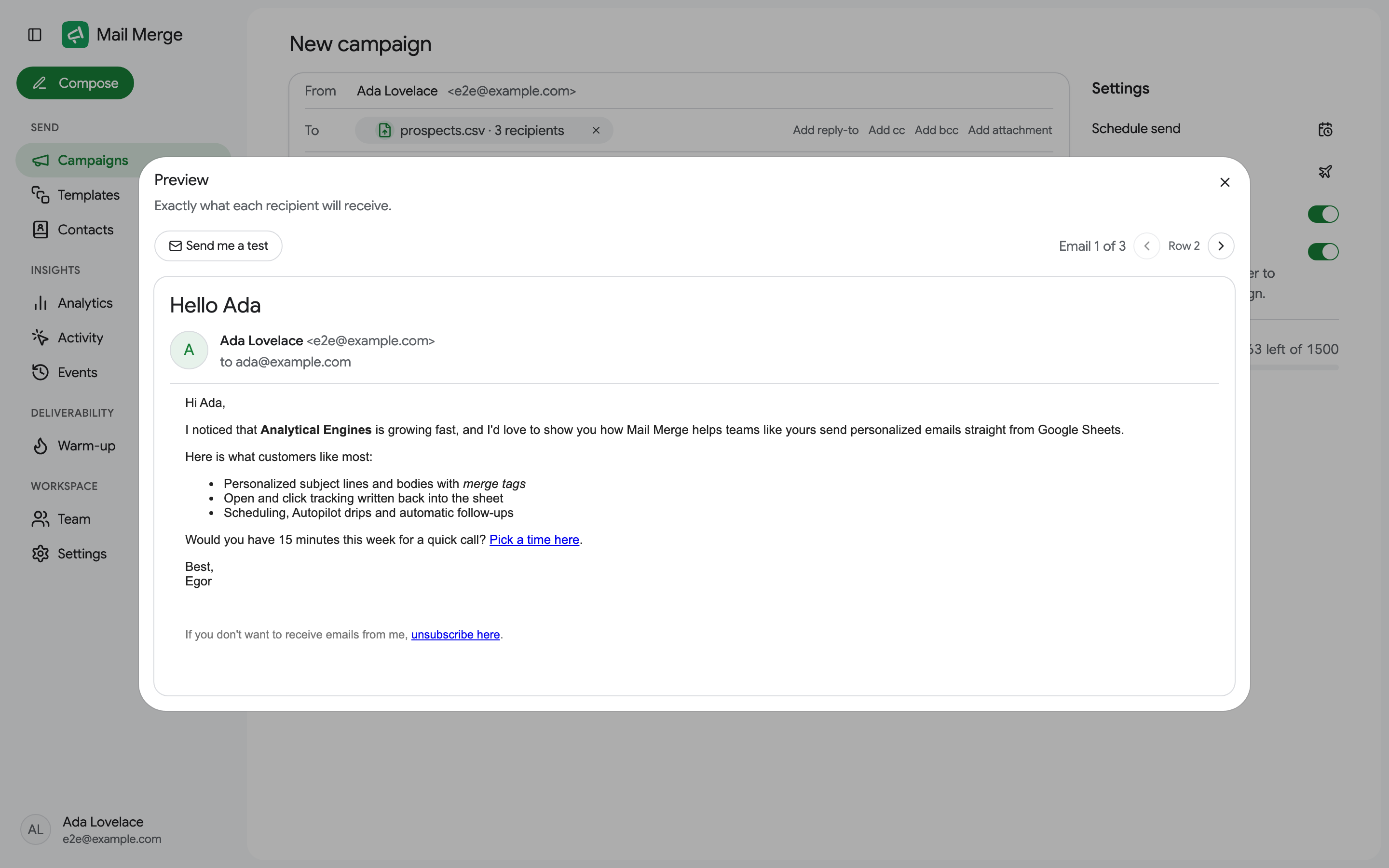
Section titled “Preview and test”Show preview renders the exact email each recipient will receive, one by one. It also runs a deliverability check (a missing unsubscribe link, merge tags that did not fill in) and offers Send me a test.
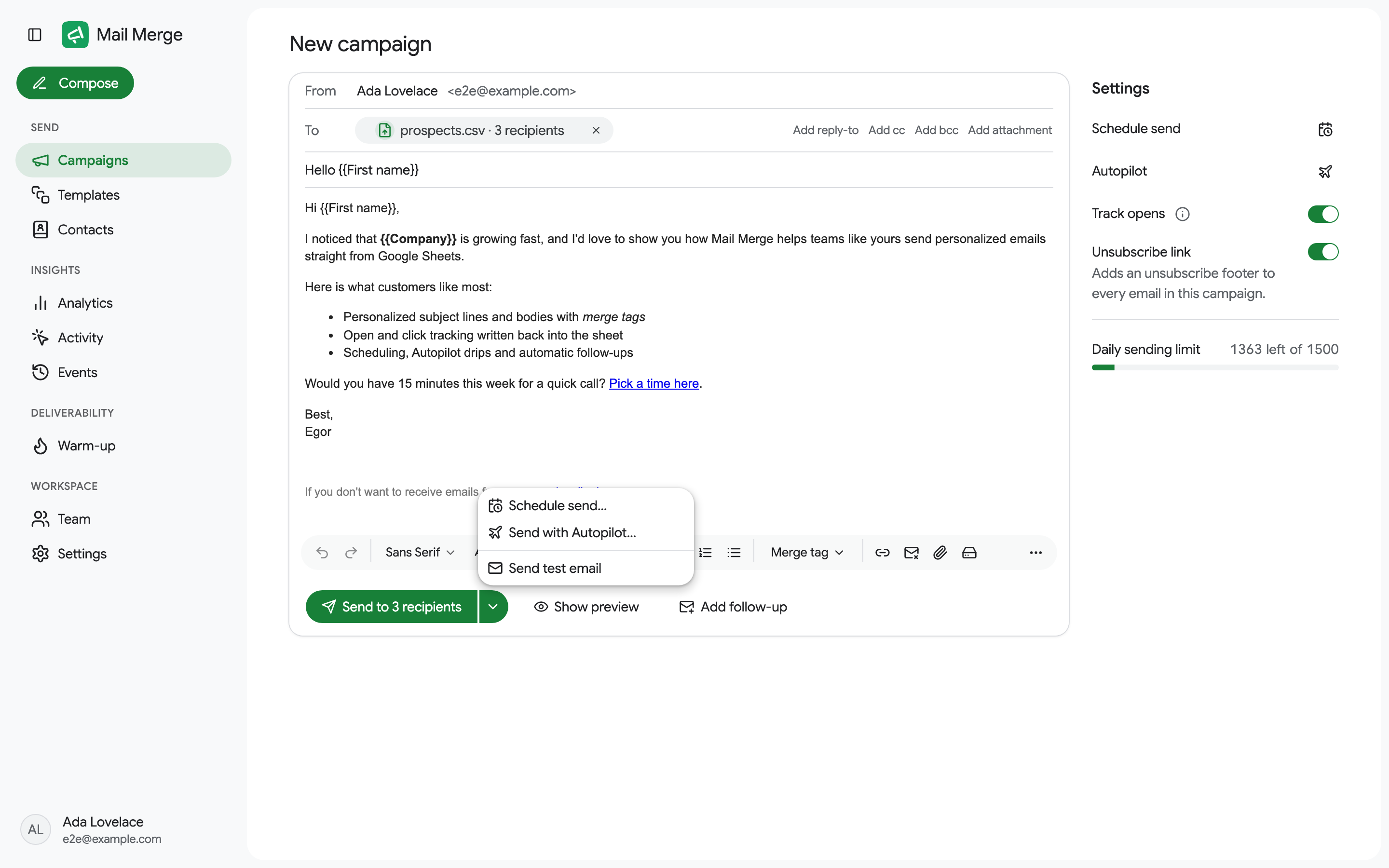
The arrow next to the send button opens a menu with Schedule send…, Send with Autopilot…, Send when a new form response arrives… and Send test email, which emails the first recipient’s version to your inbox.
Sending
Section titled “Sending”The main button reads Send to N recipients, Schedule N emails once a date is set, Start autopilot, or Create automation for a form automation. It stays disabled until the campaign has recipients, a subject and a body. A confirmation dialog summarizes what is about to happen.
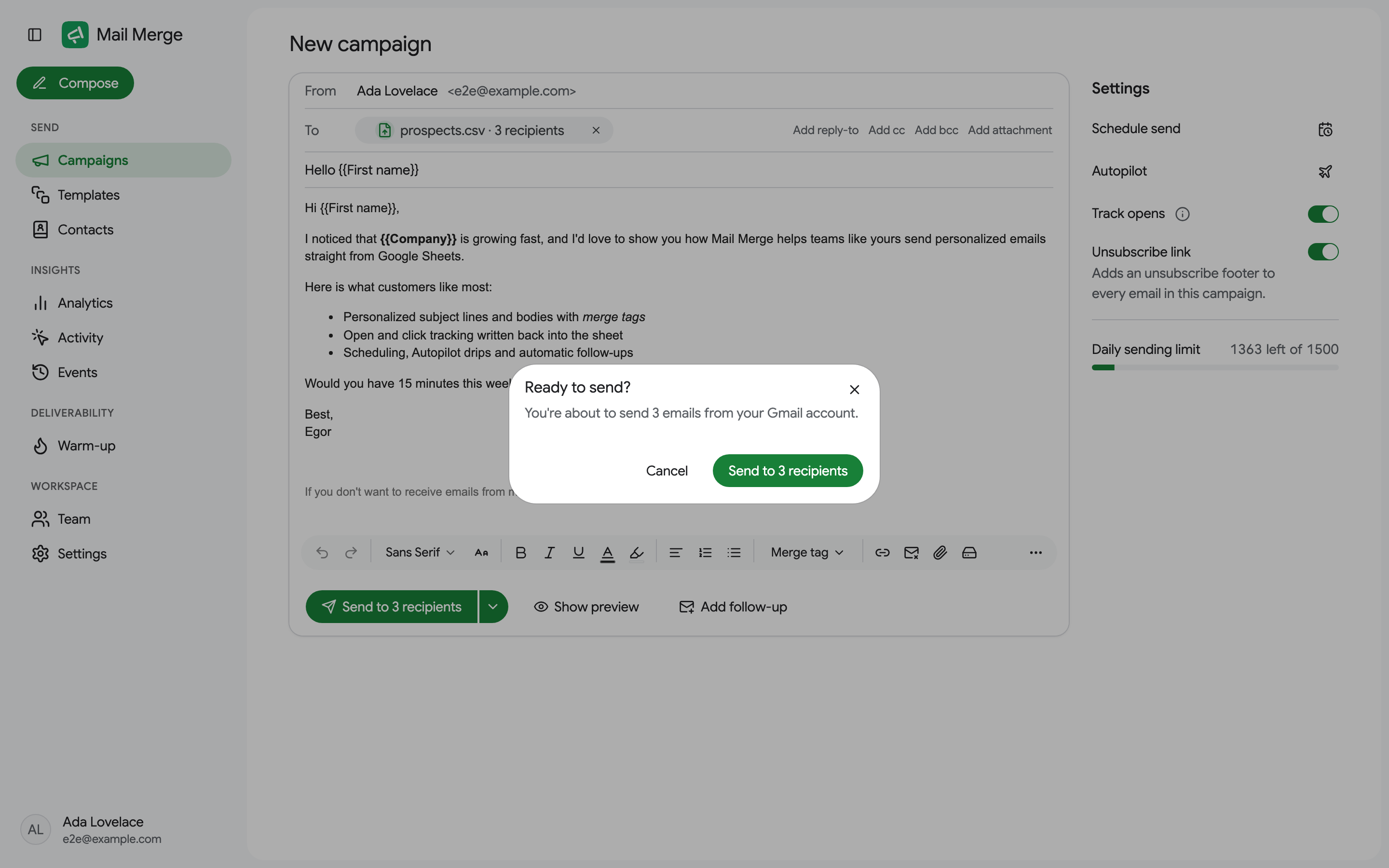
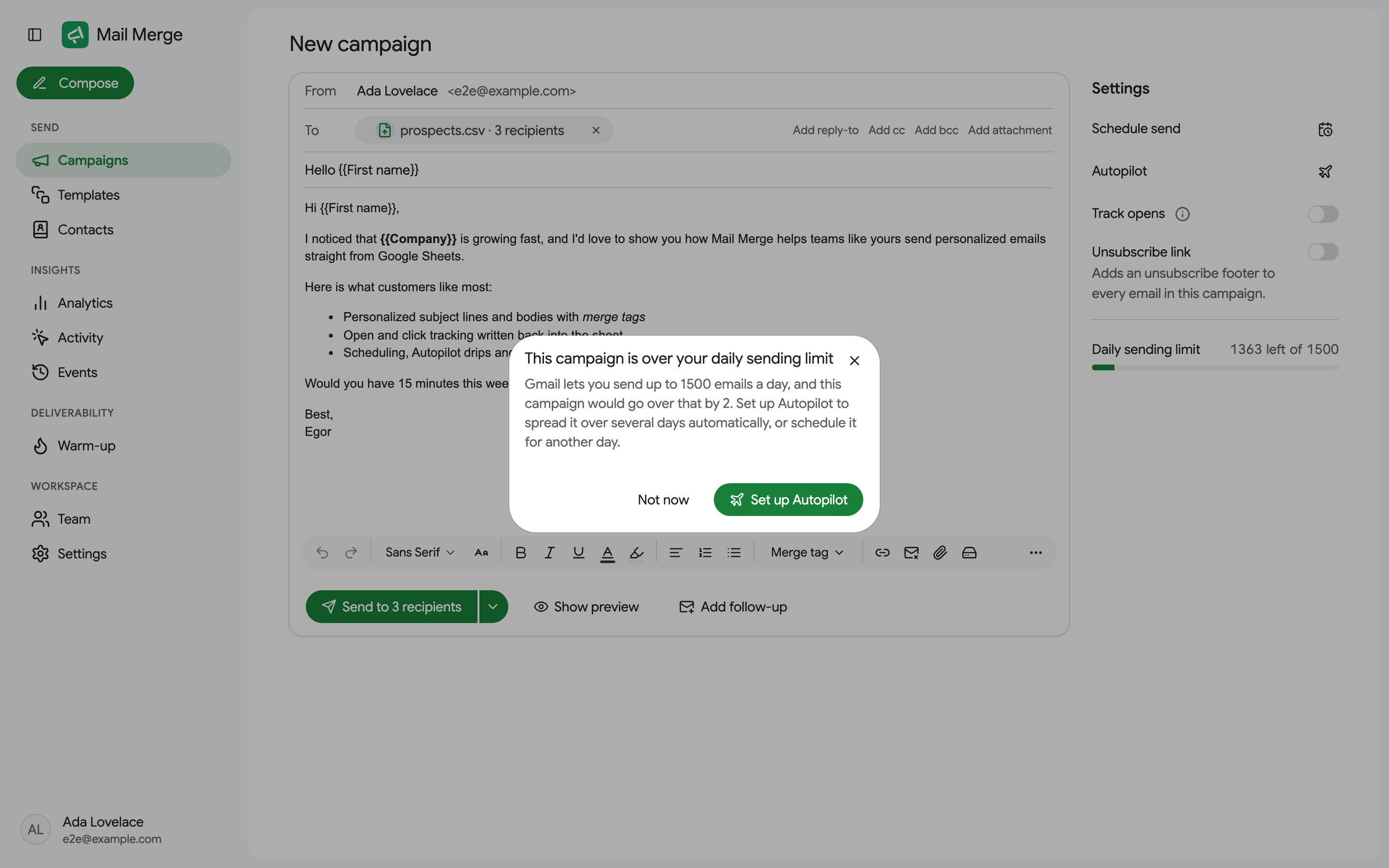
If the campaign does not fit in today’s sending limit, a dialog explains it. On the Personal and Professional plans it offers Send N now, the rest continues tomorrow: what fits goes out now and Mail Merge continues automatically every day until everyone has been emailed; the campaign shows Continues daily until done in the list and can be paused or stopped like any other. A free account can split the list into several campaigns sent on different days, or upgrade (a paid plan can also schedule the campaign for after the limit resets). See Daily sending limits.
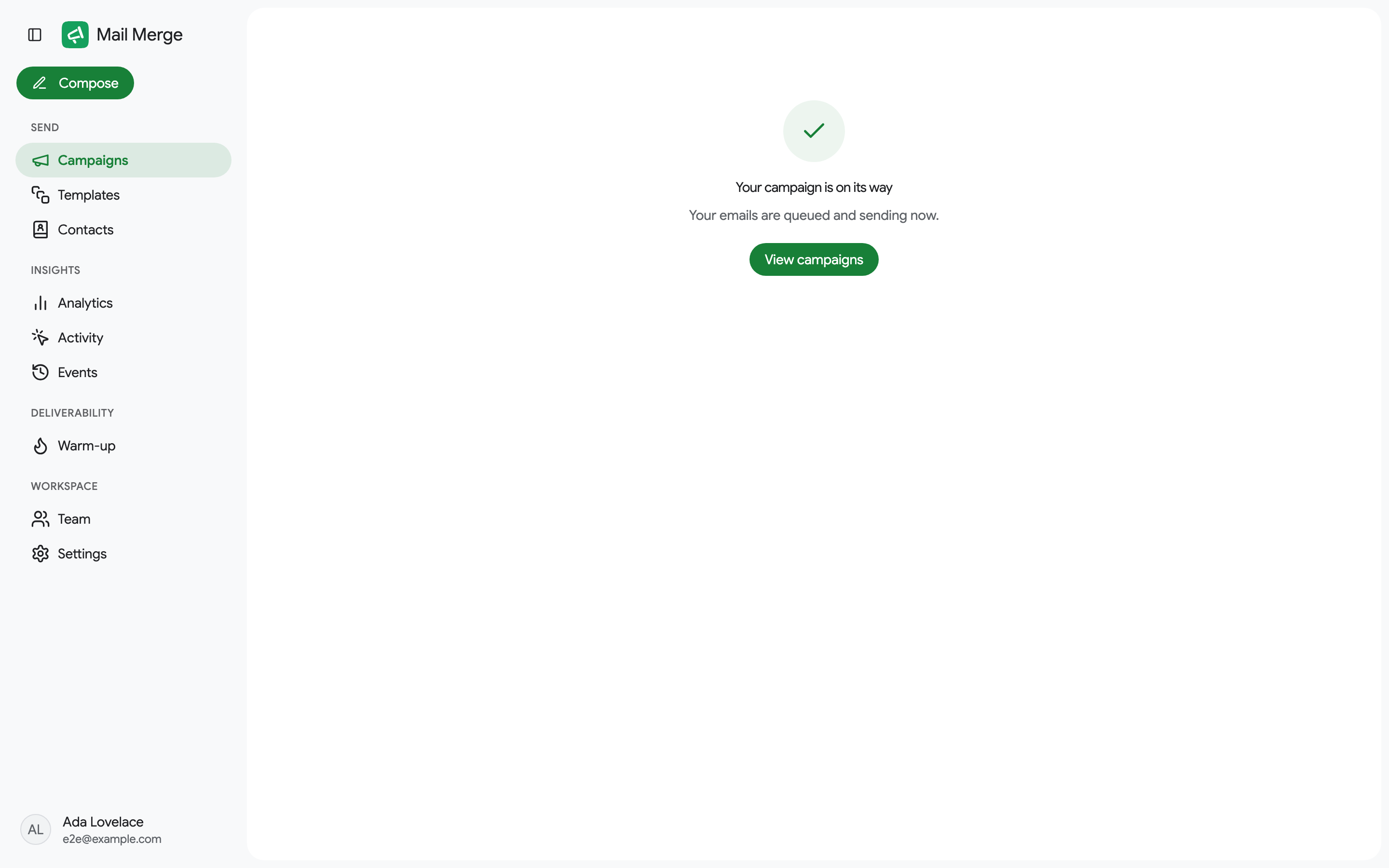
After a successful send the builder is replaced by a confirmation, with a View campaigns button.
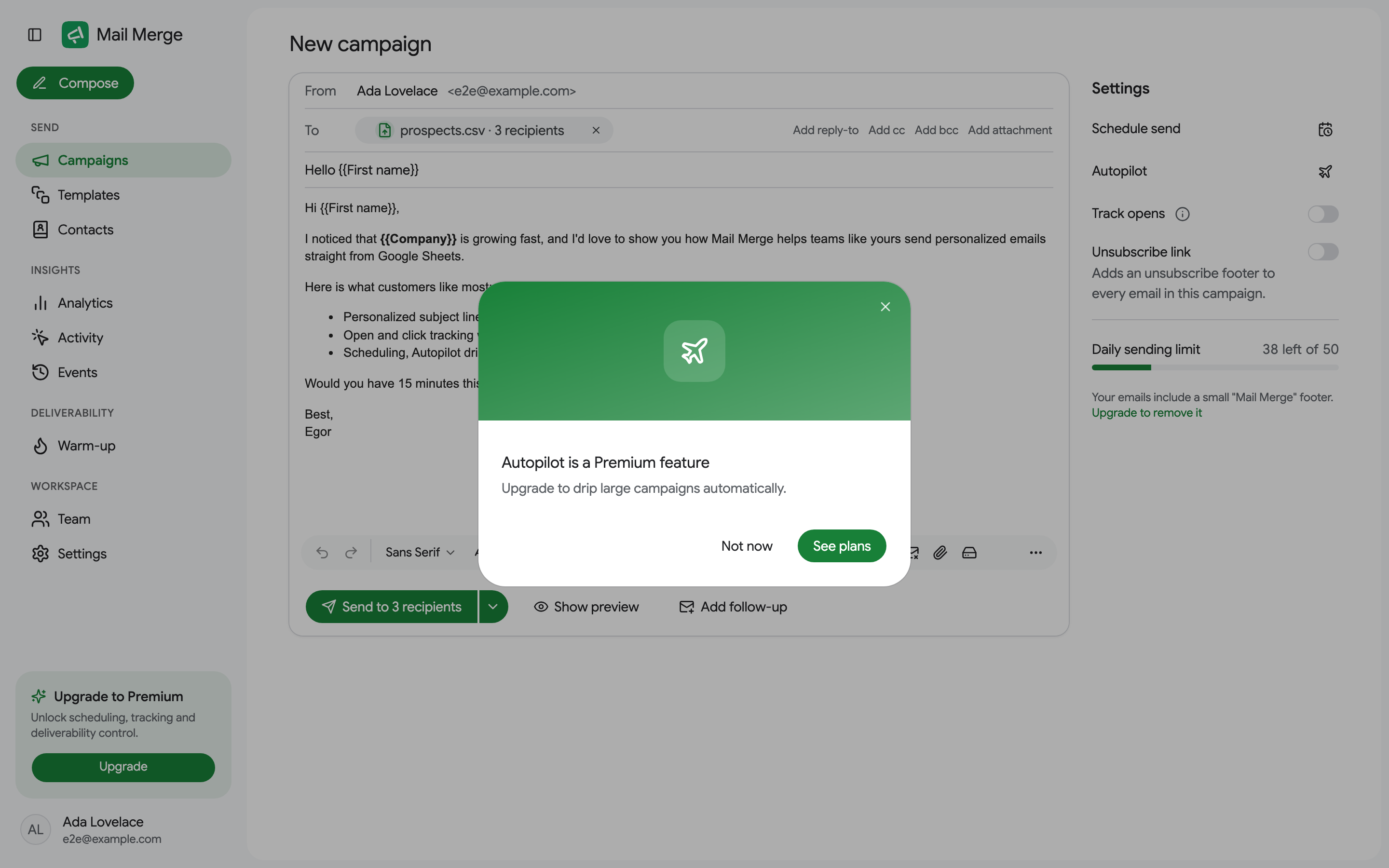
Premium features
Section titled “Premium features”Open tracking is free. Autopilot, follow-ups, A/B subject tests and AI fields are part of the Professional plan, and scheduling a campaign for later, click tracking, deliverability control (a delay between emails), sending past the daily limit over several days, analytics and recipient activity come with any paid plan. A free account can open every control; the premium ones show what they do and a See plans link.