
Campaign and recipient statuses
Mail Merge reports progress in two places: the campaign as a whole, in the Campaigns screen, and each recipient, in the 📮 status column of your sheet and in the campaign details.
Campaign statuses
Section titled “Campaign statuses”| Status | Meaning | What to do |
|---|---|---|
| ACTIVE | The campaign is sending, or waiting for its scheduled time or its next Autopilot window. | Nothing. Open the campaign for per-recipient progress. |
| ENQUEUING (shown briefly) | A large campaign is still being prepared. | Wait; thousands of rows can take a few minutes. Do not create the campaign again. |
| PAUSED | You paused it, or Mail Merge paused it. | Resume from the row actions. |
| Paused: Gmail restricted | Google stopped the Gmail account from sending. | Wait for Google to lift the restriction, then resume. See Sending limits. |
| COMPLETED | Every recipient was processed. Some rows may still be in Error. | Check the recipient list for errors. |
| STOPPED | You stopped it. Unsent recipients were cancelled. | Launch a new campaign for the remaining rows if needed. |
| Failed to start | The campaign could not be queued at all. Nothing was sent. | Delete it from the row menu and launch again. |
Recipient statuses
Section titled “Recipient statuses”These appear in the status column of the sheet and in the campaign details.
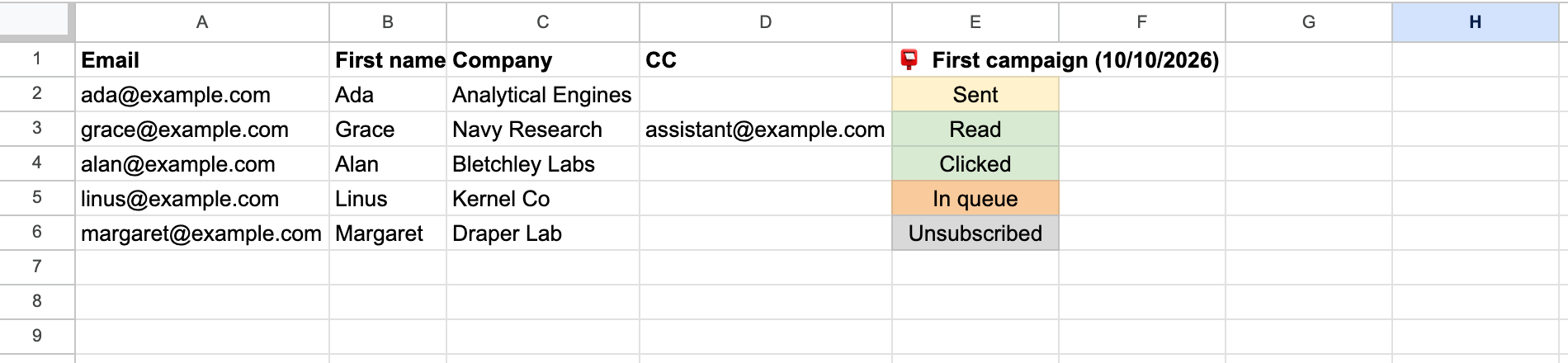
| Status | Meaning | What to do |
|---|---|---|
| In queue | Waiting to be sent. With a delay between emails, rows move from In queue to Sent one by one. | Wait. Half the list sent and the other half In queue is normal with throttling. |
| Scheduled | The campaign starts later (scheduled or Autopilot). | Wait, or change the date from Campaigns → Scheduled. |
| Sent | The email left your Gmail account. | Nothing. |
| Read | The recipient opened the email (needs tracking). | Nothing. |
| Clicked | The recipient clicked a link in the email. | Nothing. |
| Replied | A reply was detected; a follow-up was skipped for this row. | Nothing. |
| Unsubscribed | The recipient used the unsubscribe link, or was skipped because they had unsubscribed earlier or are on your blocklist. | Nothing. They are excluded from future campaigns automatically. |
| Paused | The campaign is paused; this row has not been sent. | Resume the campaign. |
| Cancelled | The campaign was stopped before this row was sent. | Send a new campaign to these rows if you still want to. |
| Cooldown | Gmail temporarily refused to send. Mail Merge waits and retries by itself; the cell note says when. | Nothing. Reduce the volume or use Autopilot if it happens often. |
| Skipped | A follow-up email was not sent to this recipient. The cell note gives the reason (opened, clicked, replied, bounced). | Nothing. |
| Bounced | The previous email of the sequence bounced. | Fix or remove the address. |
| Missing recipient | The row has no valid email address. | Fix the address and send a new campaign to the row. |
| Attachment Error | The per-row attachment could not be downloaded or is too large. The cell note explains. | Fix the file or link; see Attachments. |
| Error | Gmail refused this message, or a temporary Google error occurred. The cell note explains. The email was not sent and is not retried. | Read the note. Send a new campaign to the Error rows once the cause is fixed. |
Common situations
Section titled “Common situations”- Half the list is Sent, the rest is In queue. Throttling is on, or the daily limit is reached and the rest continues after the reset. Check Settings for the sending speed.
- Everything stays In queue. The campaign is paused, in Cooldown, or Mail Merge lost access to the account. Open the campaign in the web app: the status and the alert at the top say which.
- The sheet does not update but the web app does. Open Mail Merge from the spreadsheet or use 🔄 Refresh tracking. See Troubleshooting.
- I want to resend to the Error or Cancelled rows. Launch a new campaign from the same sheet: a new status column is added and every row is sent again, so move the rows that already received the email to another tab first.