
Shared subscription
What is a shared subscription in Mail Merge for Gmail?
Section titled “What is a shared subscription in Mail Merge for Gmail?”If you need to:
- Have multiple Mail Merge for Gmail licences for your team
- A centralized way to manage your licences
- Get one bill for your entire organization
Shared subscriptions are available in Mail Merge for Gmail for every owner of a premium subscription, through the Team seats screen of the web app.
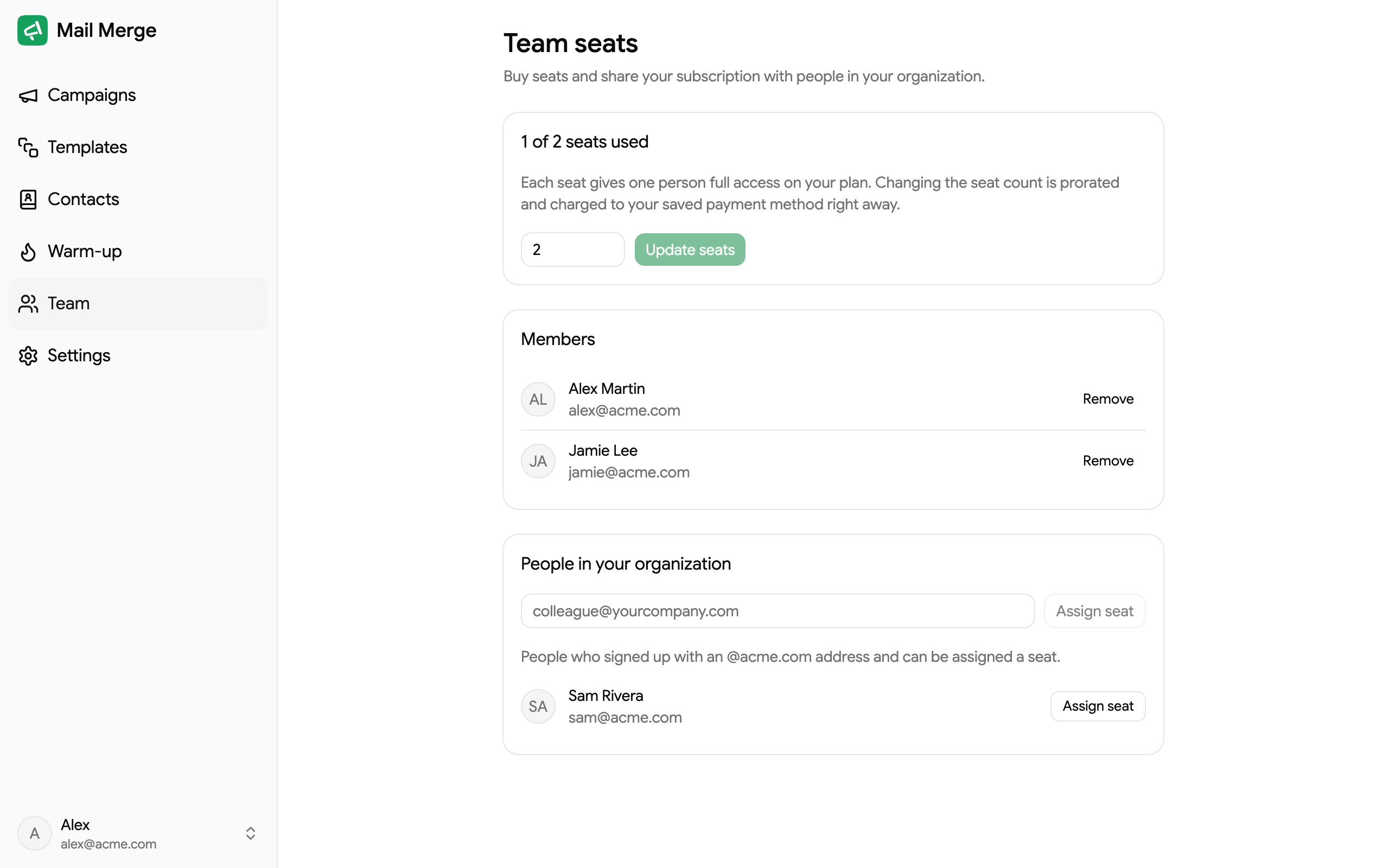
How to add/remove a user on your shared subscription?
Section titled “How to add/remove a user on your shared subscription?”- Open the Team screen — from Google Sheets via Extensions → Mail Merge for Gmail → 🤝 Team, or directly at merge.email/app/team.
- Choose the number of team seats with − and + on the card at the top and click Update seats.
- Click Assign seat next to a colleague in the People list, or Add member to assign a seat by email address. Remove, in the ⋮ menu of a member, frees their seat.
See Team seats for the full walkthrough.
How will it impact my invoices?
Section titled “How will it impact my invoices?”- Adding or removing a seat does not change your billing period or billing dates: your billing date, monthly or yearly, remains the same as the original subscription.
- If you add a seat:
- You are charged immediately for the prorated remaining time before the next invoice, on your saved payment method.
- Your next invoice reflects the new number of seats.
- If you remove a seat:
- Your account balance is credited with the prorated amount for the remaining time of your subscription.
- Your next invoice reflects the new number of seats.
Example:
If you have a yearly subscription ($89.90) created on 1st January and you add a seat on 1st of June:
- You are charged immediately about $44.95 (half of the billing period remaining).
- The next invoice on 1st January is $179.80 (= 2 × $89.90).