Account & Billing
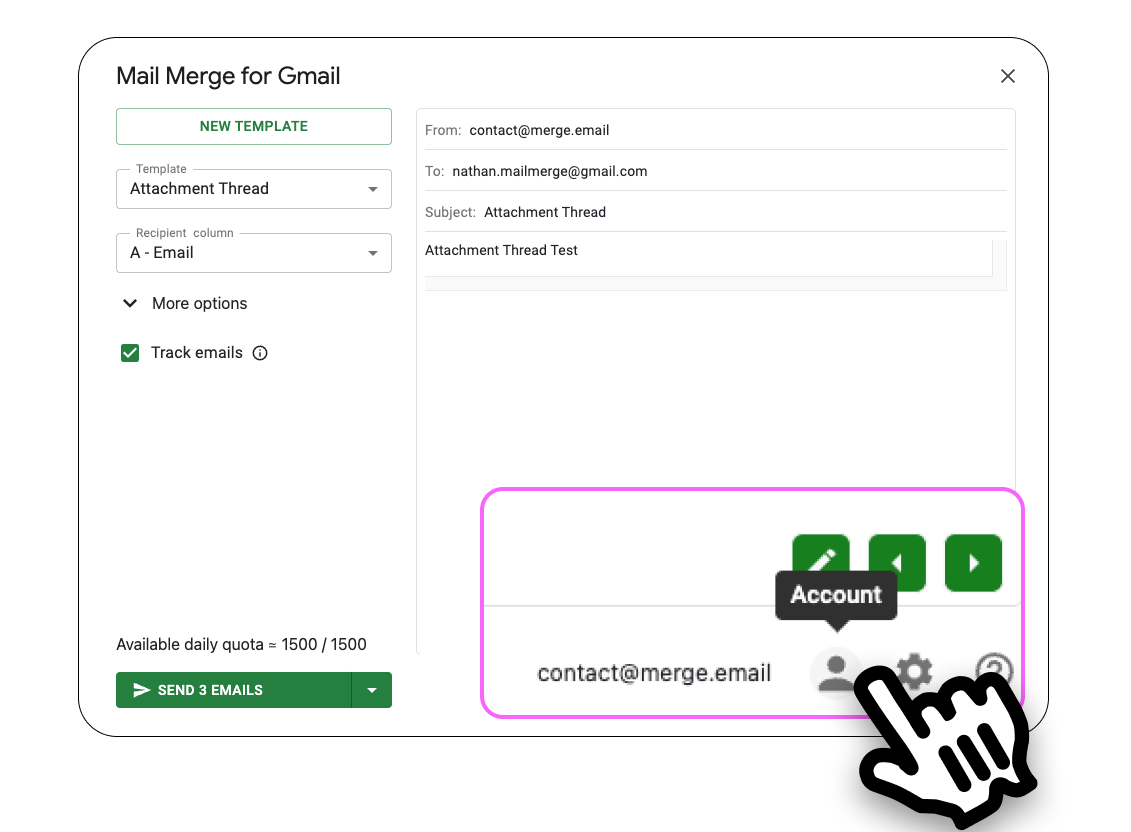
Everything about your Mail Merge subscription is self-service in the web app at merge.email/app: open the account menu at the bottom of the sidebar and click Billing, or use Extensions → Mail Merge for Gmail → 💳 Billing in Google Sheets. Both open the Stripe billing portal, where invoices, the payment method and the subscription live.

Invoices and receipts
Section titled “Invoices and receipts”The billing portal lists every payment with a downloadable invoice and receipt. Stripe also emails a receipt to the address of the Google account that paid, right after each charge, so check that inbox and its spam folder before asking for one.
Company name, address and VAT number go on the invoice when they are filled in at checkout, or later in the portal under Billing information. The change applies to the next invoices; an invoice already issued cannot be edited afterwards, so fill in the details before paying.
What we cannot provide: locally formatted tax invoices (RFC, GST, VAT invoices of a specific country), a W-9 form or a signed data-processing agreement. The Stripe invoice is the official document for the purchase; our privacy policy and Permissions & your data describe how data is handled.
Changing your plan
Section titled “Changing your plan”On the Pricing page, click Change plan on the other tier, or switch the Monthly / Yearly toggle and click the button on your current tier. The switch is immediate and the price difference is prorated and charged to the saved card.
Prices on the pricing page are shown per month. With yearly billing, the whole year is charged at once at the lower per-month rate; the monthly plan is charged every month at the higher one. If you chose yearly by mistake, write to us within 30 days.
Cancelling and refunds
Section titled “Cancelling and refunds”Downgrade to Free on the Pricing page cancels at the end of the paid period. Uninstalling the add-on does not cancel. A charge can be refunded within 30 days. Everything is on Cancel your subscription & refunds.
I paid, but the account still shows the Free plan
Section titled “I paid, but the account still shows the Free plan”Nine times out of ten the payment was made with a different Google account than the one you use in Google Sheets. The subscription belongs to the account that was signed in on the pricing page.
- In the web app, open the account menu and check the email shown there. If it is not the one you paid with, Add another account or sign out and sign in with the right one.
- In Google Sheets, make sure the same account is the active one (the avatar in the top-right corner), then refresh the page so the add-on reloads your plan.
- If the paying account is the right one and the plan is still Free, or you now see two active subscriptions in the billing portal, write to us: we will move the subscription to the account you use and refund the duplicate.
The sidebar shows Finish your upgrade when a payment failed: open Complete payment to retry with another card.
Moving the subscription to another email address
Section titled “Moving the subscription to another email address”A subscription is tied to one Google account. To move it, for example from a personal Gmail address to your new Google Workspace account, or to a colleague who takes over, write to contact@merge.email from the address that owns the subscription today, naming the new address. We transfer it and the new account gets the plan at once. To give access to several people without moving anything, use Team seats.
Payment problems
Section titled “Payment problems”- The card is refused or checkout hangs. Try another browser or an incognito window, and a different card. If it still fails, write to us: we can send a Stripe invoice link to pay directly.
- The billing portal does not open. It opens in a new tab, which some browsers (Safari in particular) block. Allow pop-ups for merge.email, or open merge.email/app/subscription directly.
- Cannot remove the card. A subscription always keeps one payment method. Add the new card first, then remove the old one; once the subscription is cancelled, the card can be removed in the portal.
- 3-D Secure cards (common in India and some EU banks) may fail on seat purchases. Write to us and we will send an invoice link instead.
Deleting your account
Section titled “Deleting your account”To delete your Mail Merge account, cancel the subscription first, then contact us from the account’s address. We delete the user record, templates, contacts, campaign history and the stored Google authorization. Stripe keeps the invoices it is legally required to keep.
Sharing a subscription with colleagues
Section titled “Sharing a subscription with colleagues”Licensing is per user. Buy seats on your plan and assign them from the Team screen; see Shared subscription for the billing details.