
Unsubscribe link
An unsubscribe link lets recipients opt out in one click. It keeps your list clean, lowers spam complaints, and it is required by Google’s and Yahoo’s bulk sender guidelines. When an email contains the link and tracking is on, Mail Merge also adds the one-click unsubscribe headers (List-Unsubscribe and List-Unsubscribe-Post) that mail clients use to show their own Unsubscribe button next to the sender.
Add the link
Section titled “Add the link”Three ways, from the quickest to the most customizable:
- The campaign switch. In the builder, turn Unsubscribe link on (the envelope icon in the bottom bar inside Google Sheets, the switch in the Settings column in the web app). The footer If you don’t want to receive emails from me, unsubscribe here. is appended to every email of the campaign.
- The template footer. In the template editor, click Add unsubscribe link at the bottom. The same footer is saved with the template.
- Your own words. Type any sentence, select the words that should be the link, and click the Unsubscribe link button in the editor toolbar (the envelope with a cross). The selection becomes a link to the unsubscribe placeholder, exactly like Insert link with the placeholder as its address.
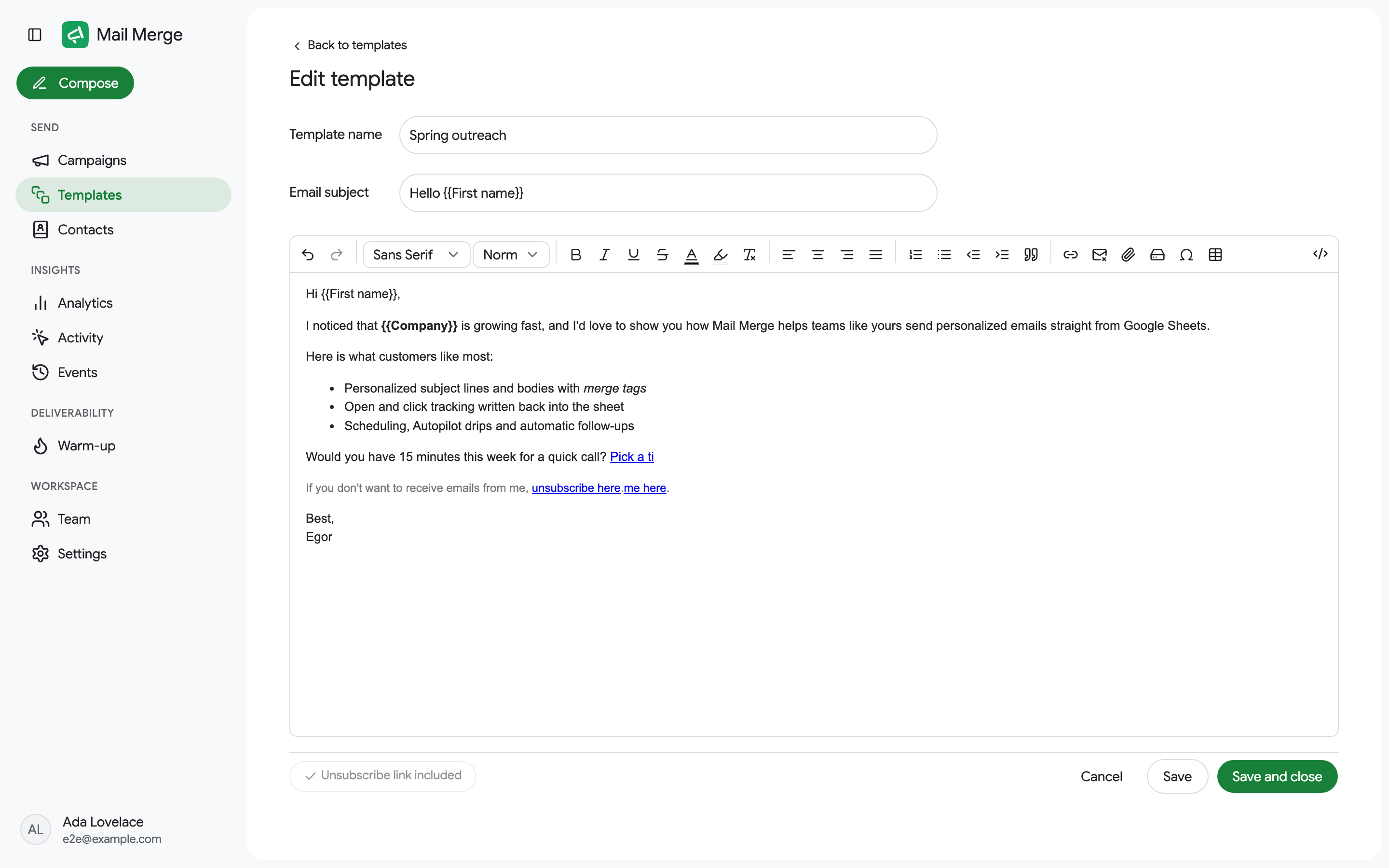
The link in the editor is a placeholder, {{unsubscribe_merge_tag_mmfg_DONT_CHANGE_IT}}. When the campaign sends, it is replaced by a unique, signed link for each recipient. Do not edit that address by hand.
The preview’s Deliverability check warns when a campaign has no unsubscribe link.
What recipients see
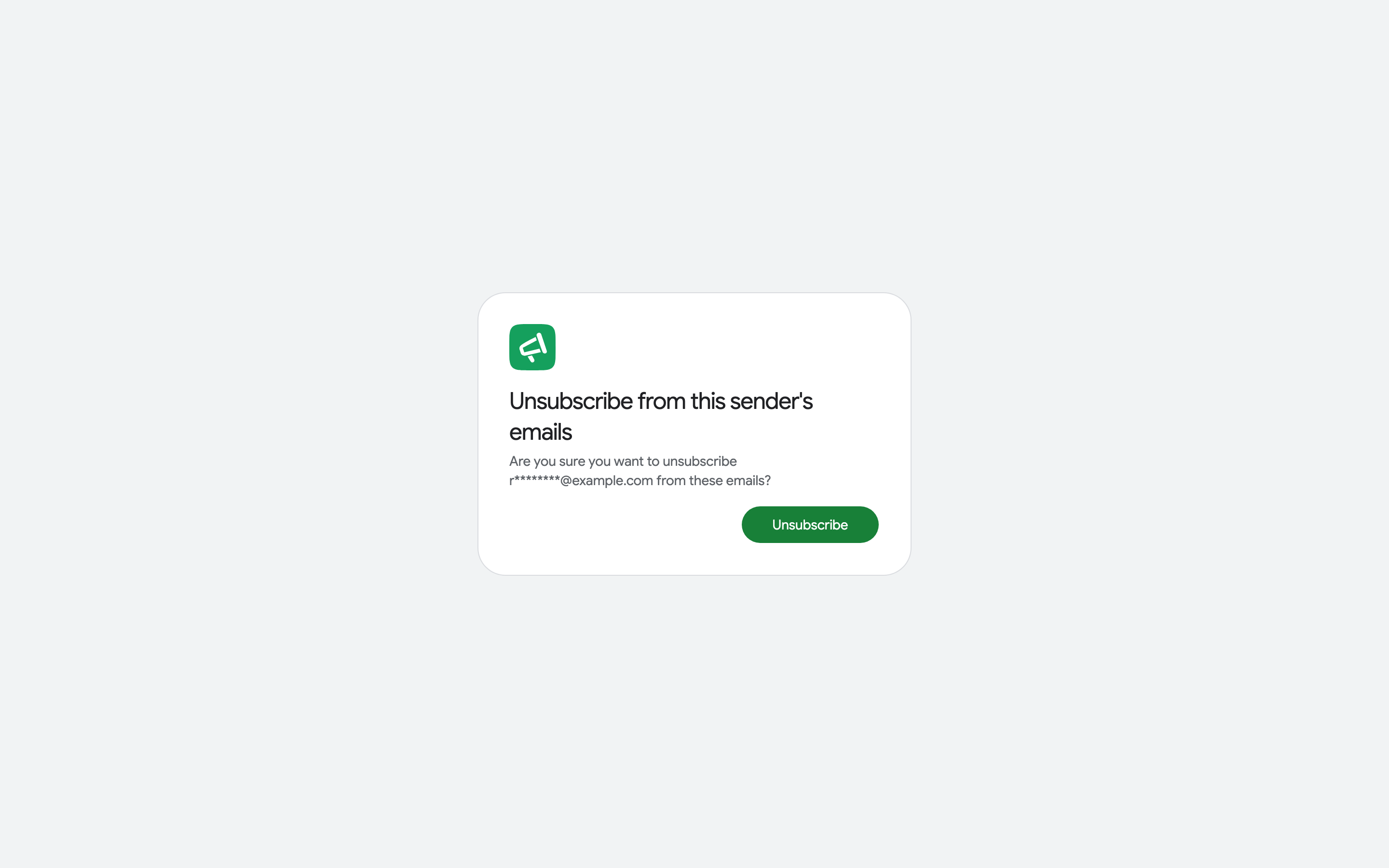
Section titled “What recipients see”Clicking the link opens a Mail Merge page that asks the recipient to confirm.
Depending on their mail client, recipients may also see an Unsubscribe button at the top of the email. Mail clients decide when to show it; a test email to one of your own inboxes often does not get one, because the client knows you exchange email with that sender regularly.
What you see
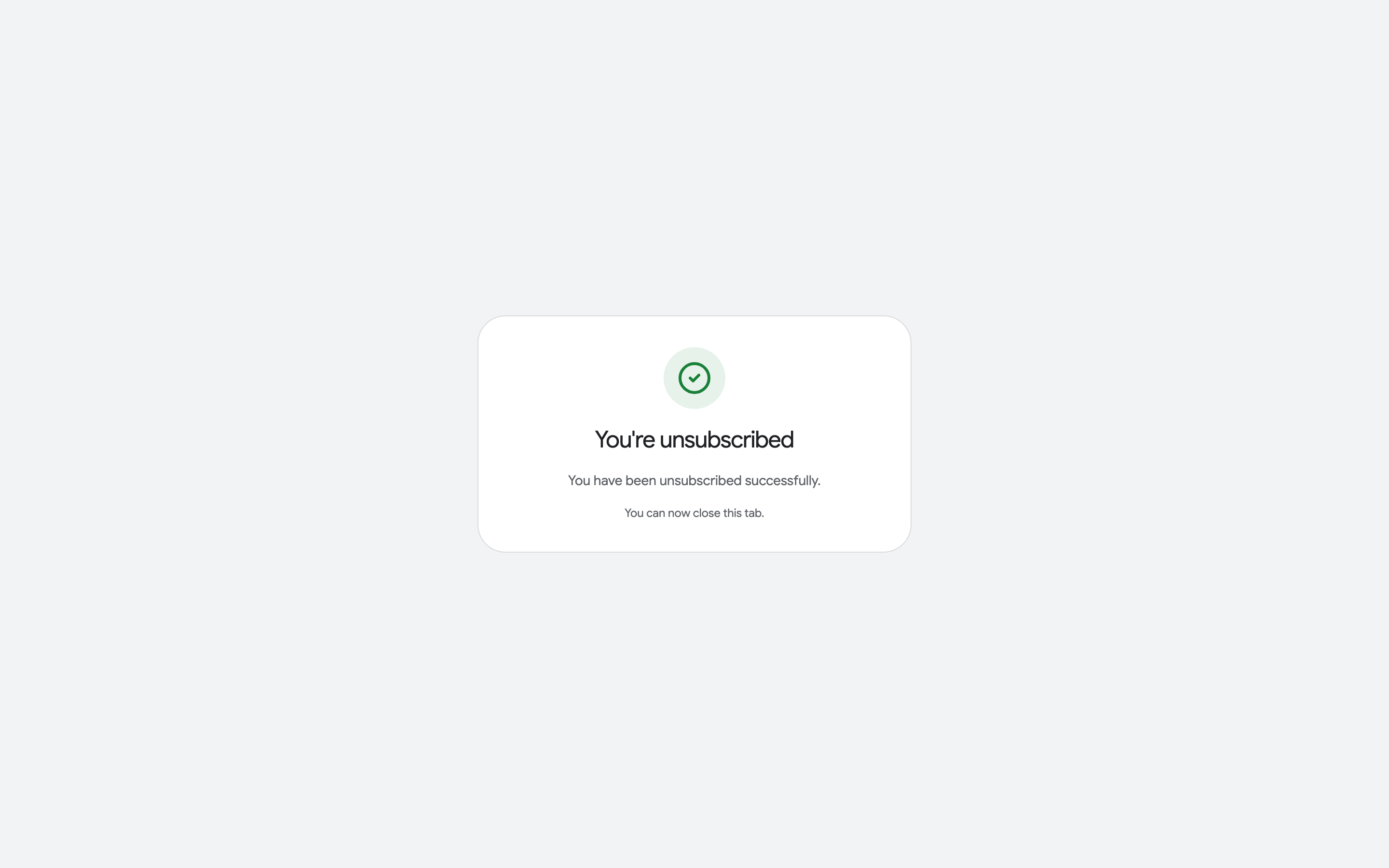
Section titled “What you see”- The recipient’s row in your sheet changes to Unsubscribed, and the campaign details show it too.
- The address moves to the Unsubscribers tab of Contacts, with the date.
- Activity, Events and Analytics record the unsubscribe.
Unsubscribers are excluded automatically
Section titled “Unsubscribers are excluded automatically”Every future campaign skips unsubscribed addresses, whatever source the recipients come from. An unsubscribe cannot be reversed from your side, even when the recipient asks: they have to opt back in with you, and we re-enable the address on request with their written consent. The skipped row is marked Unsubscribed in the sheet with a note explaining why, and the email is not sent. The same applies to the addresses on your blocklist.