
Email warm-up
Email warm-up builds your sender reputation by exchanging emails with a trusted network of inboxes. Every day, Mail Merge sends a few emails from your address; each receiving inbox opens them, rescues them from spam if needed, and sometimes replies. Mailbox providers see this healthy engagement and learn to trust your address, so your real campaigns land in the primary inbox instead of spam.
Open it from the Deliverability group of the sidebar, or from Google Sheets via Extensions → Mail Merge for Gmail → 🔥 Warm up.
Starting warm-up
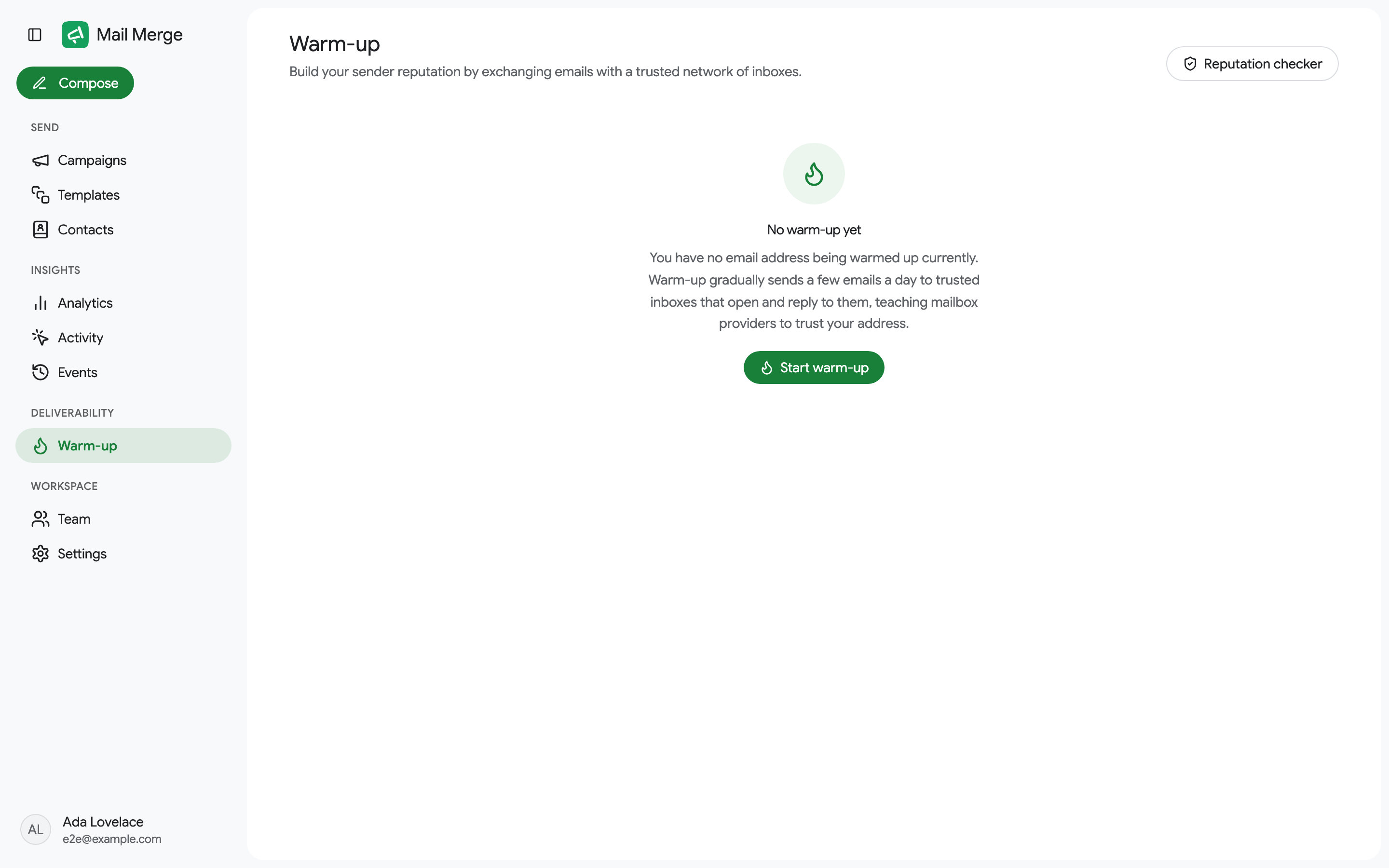
Section titled “Starting warm-up”The first visit shows an empty state with a Start warm-up button.
Warm-up sends and reads mail over Gmail’s IMAP and SMTP using a Google app password, so your account password is never shared:
- Turn on 2-Step Verification for your Google account at myaccount.google.com/signinoptions/twosv. App passwords require it.
- Create an app password at myaccount.google.com/apppasswords.
- Paste the 16-letter password in the dialog and click Connect & start. The first emails go out within the hour.
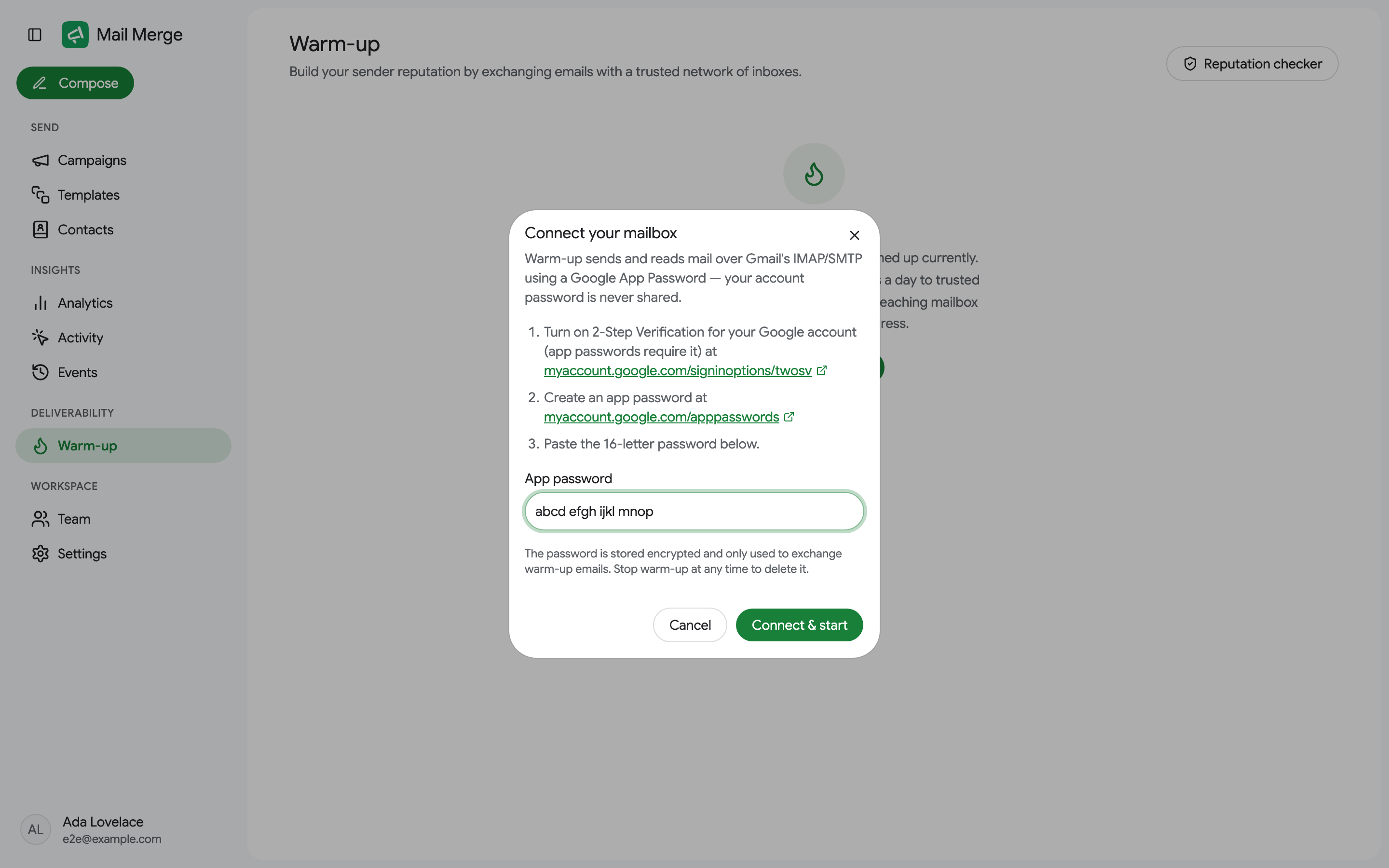
The password is stored encrypted and only used to exchange warm-up emails. Stopping warm-up deletes it.
Reading the dashboard
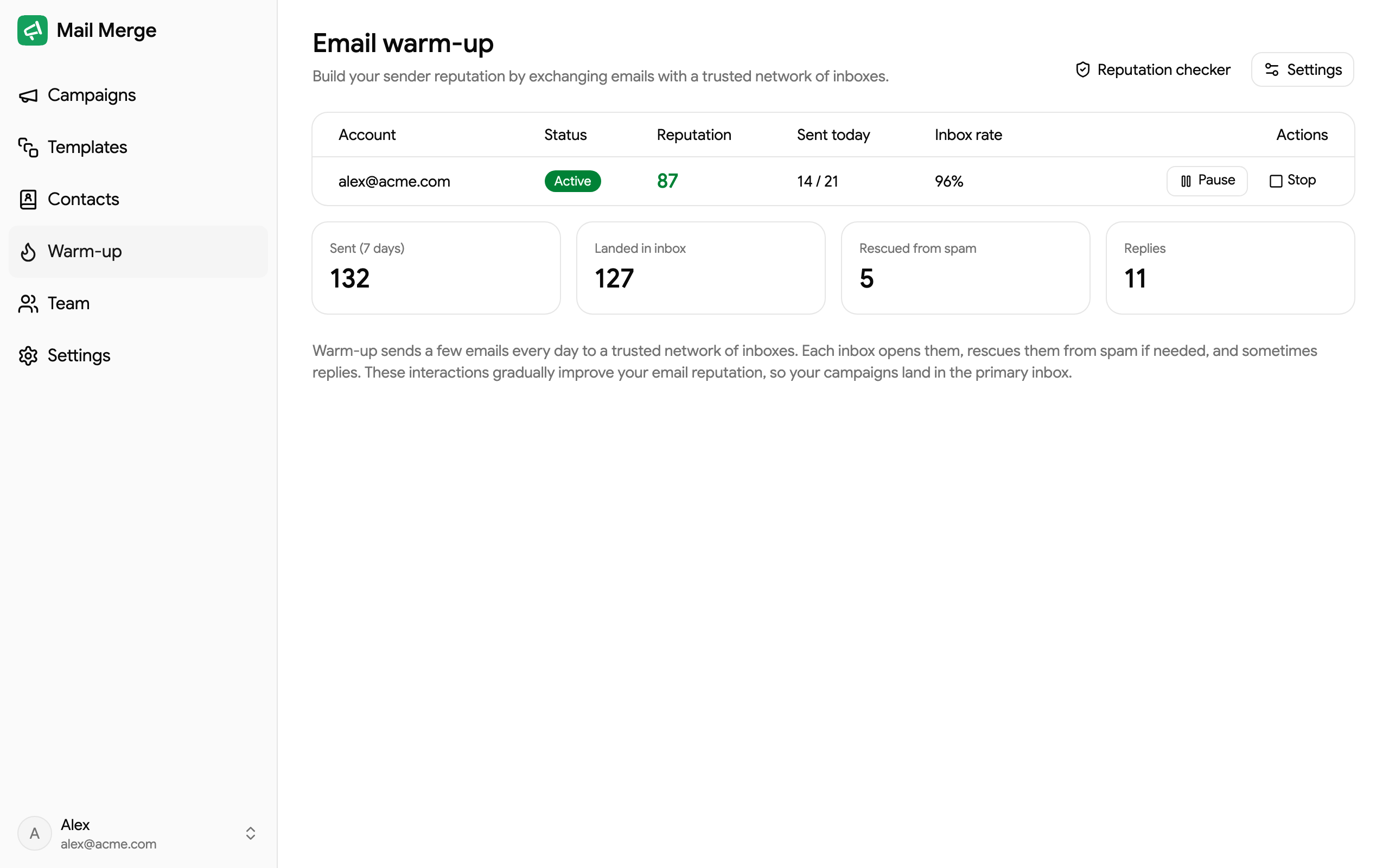
Section titled “Reading the dashboard”The mailbox card shows the status (Active, Paused or Stopped), your reputation score out of 100 (green from 75, amber from 50, red below), how many warm-up emails were sent today against the daily target, and the inbox rate: the share of warm-up emails that landed in the inbox rather than spam.
Four cards summarize the last 7 days: emails sent, how many landed in inbox, how many were rescued from spam and the replies received.
The daily volume ramps up gradually, starting small and increasing every day up to a maximum, so the pattern looks natural to mailbox providers.
Pause, settings and stop
Section titled “Pause, settings and stop”- Pause suspends the exchange without losing progress; Resume continues it.
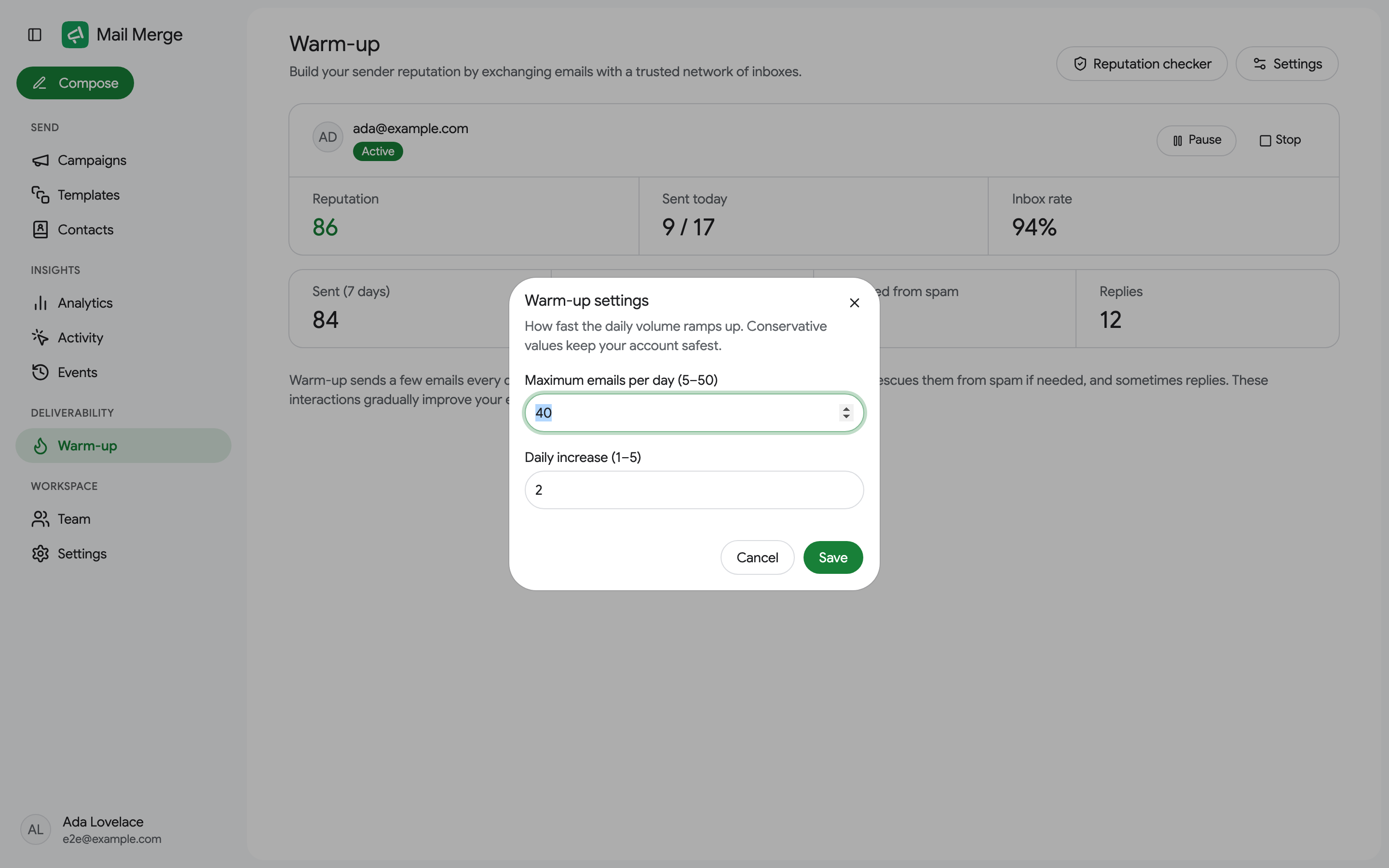
- Settings tunes the ramp: the maximum emails per day (5 to 50) and the daily increase (1 to 5). Conservative values keep your account safest.
- Stop ends warm-up and deletes the stored app password. Progress resets.
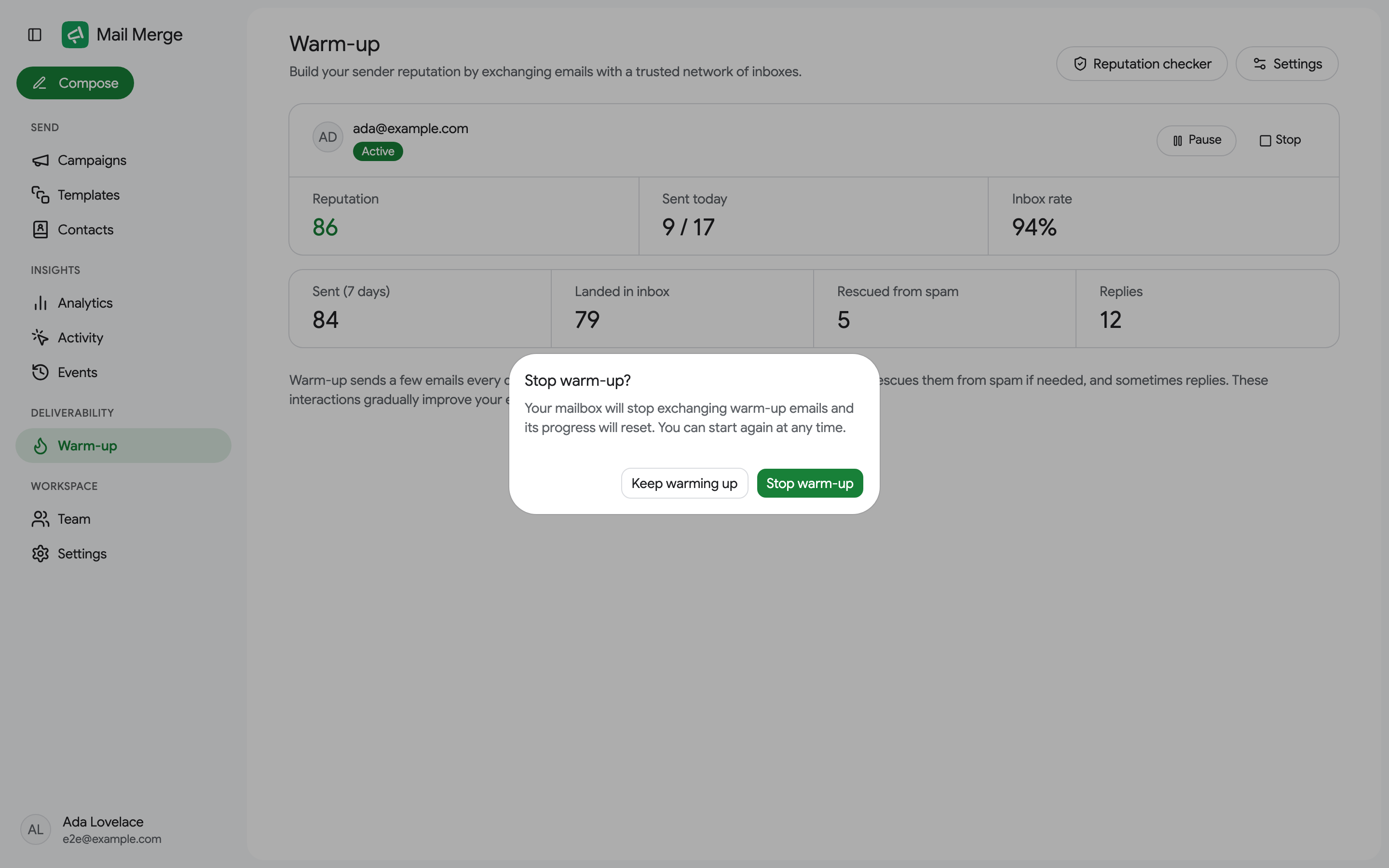
If the app password stops working (for example after it was revoked in your Google account), warm-up pauses itself with the reason shown on the card and a Reconnect button to paste a new password.
Email reputation checker
Section titled “Email reputation checker”The Reputation checker button at the top of the Warm-up screen is a free tool that scores any email address out of 100. It checks the address format, disposable and role-based addresses, the MX, SPF, DKIM, DMARC and BIMI DNS records, blacklists, the domain’s age and an SMTP probe, and lists each check as pass, warn or fail with a short explanation.
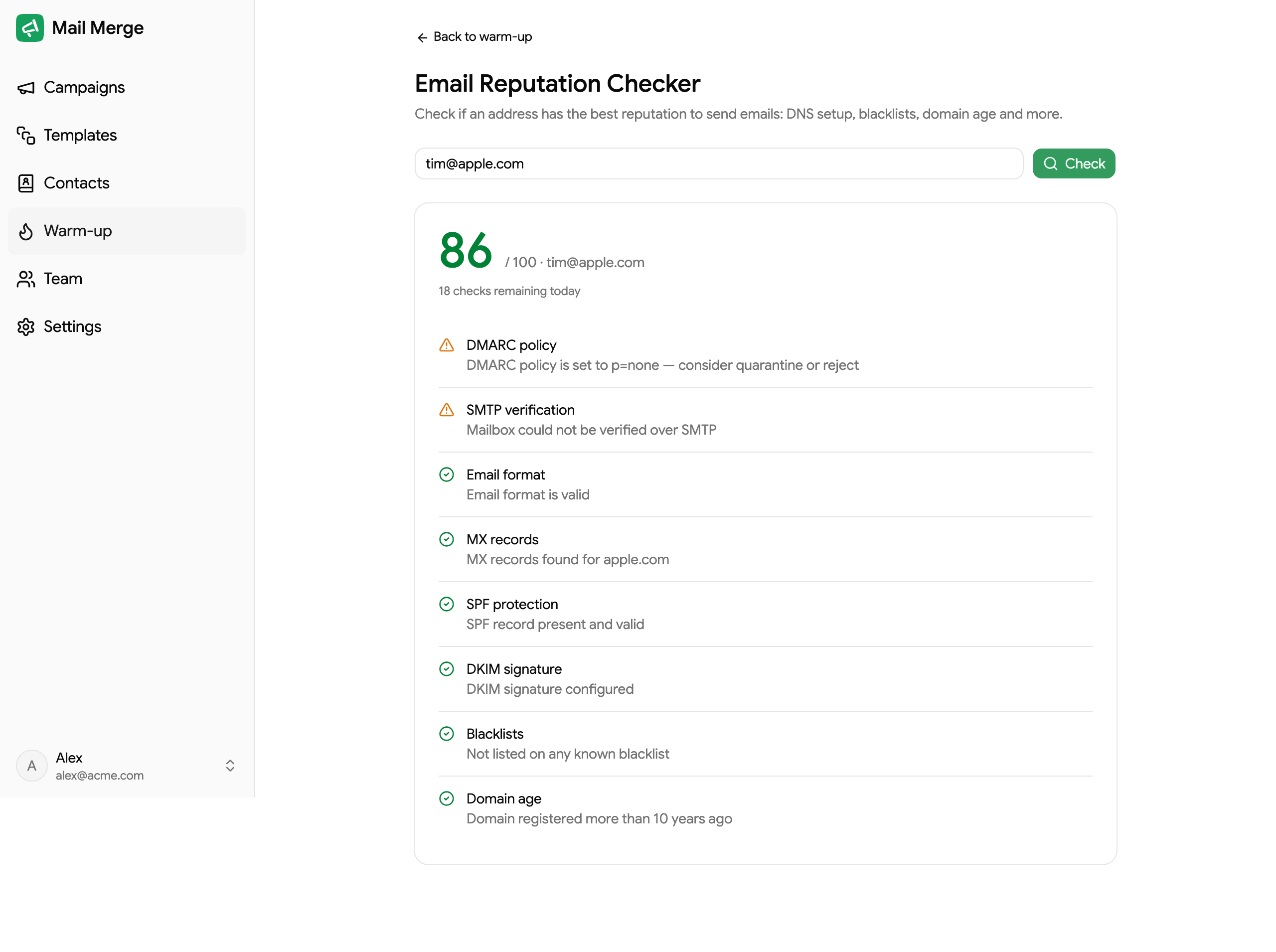
Check your own address before a big campaign: a missing SPF or DMARC record is one of the most common reasons emails land in spam. Each account gets a daily allowance of checks, shown under the score.