Pricing & subscription
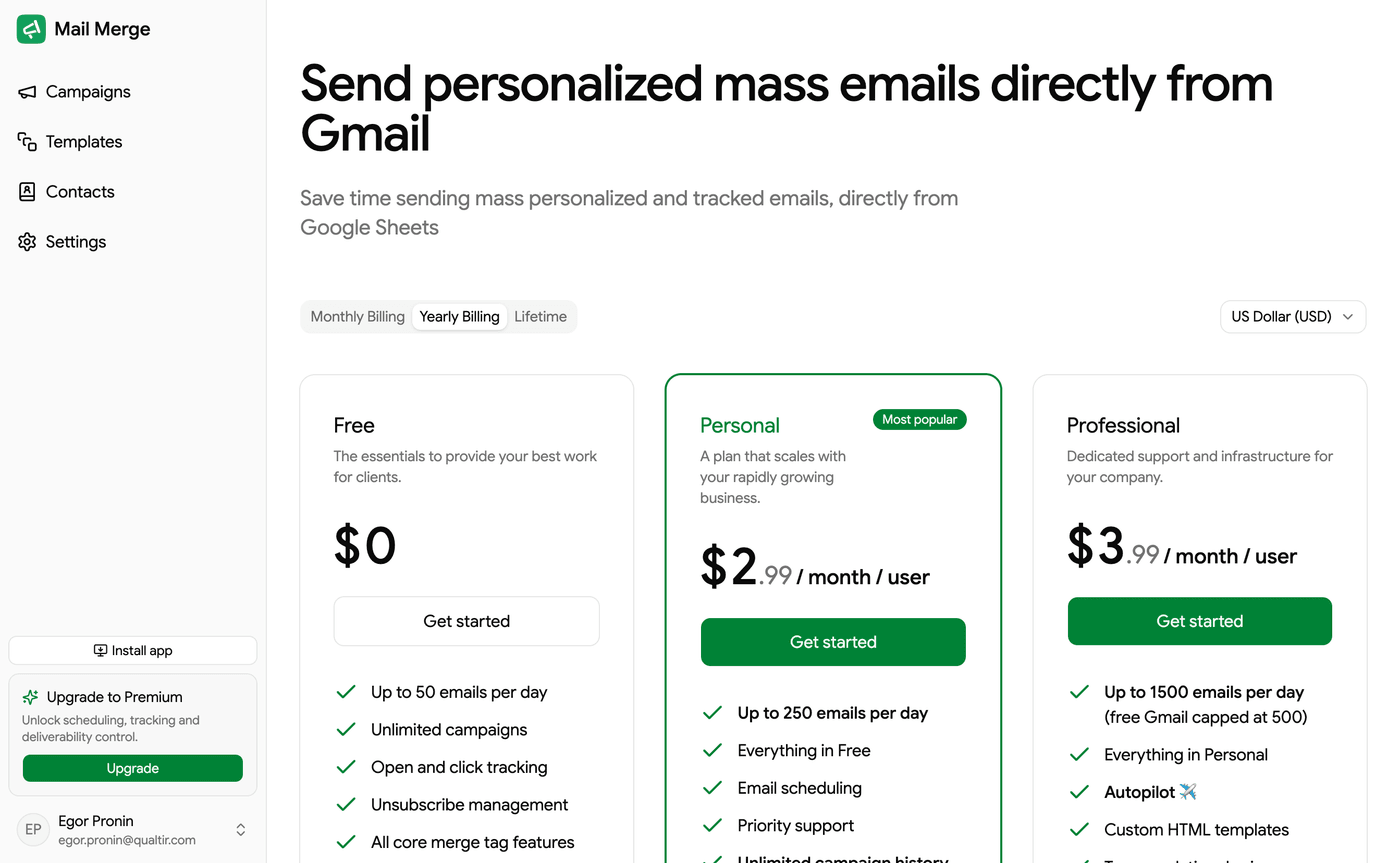
The Pricing page compares the Mail Merge plans and is where you upgrade. Reach it from the Upgrade button in the sidebar, from Upgrade in the account menu, or from any premium prompt in the app.

Switch between Monthly and Yearly billing (yearly costs ten months’ worth, so you get 2 months free) and pick your currency from the selector on the right. Prices are shown per month per user.
| Plan | Highlights |
|---|---|
| Free | Up to 50 emails per day, unlimited campaigns, open and click tracking, email scheduling, unsubscribe management, all core merge-tag features, 3-day campaign history. Emails carry a small Mail Merge footer. |
| Personal ($5.99 per month, or $59.90 per year) | Up to 250 emails per day. Everything in Free, plus no Mail Merge branding, unlimited campaign history, fixed or random delay between emails, account analytics (opens, clicks and top links), real-time recipient activity, push notifications, team seats, shared team templates and priority support. |
| Professional ($8.99 per month, or $89.90 per year) | Up to 1,500 emails per day (a free Gmail address stays capped at 500 by Google). Everything in Personal, plus Autopilot, automated follow-up sequences (up to five conditional steps), A/B subject tests, email warm-up, email verification, the Deliverability Hub, API keys and webhooks, AI personalization, team analytics and premium support. |
Prices are in US dollars; the page shows them in your currency. How many emails you can actually send also depends on your Gmail account. See Daily sending limits.
When this documentation calls something a premium feature, it means any paid plan, Personal or Professional. Autopilot, follow-up sequences, A/B subject tests, email warm-up, email verification (with the Deliverability Hub), API keys with webhooks and AI personalization are the features reserved for Professional. There are no free trials: a subscription only unlocks a plan once it is paid and active.

Upgrading
Section titled “Upgrading”Click Get started under a plan. Payment is handled by Stripe in a dialog on the page; promotion codes are accepted. After a successful payment the plan is active immediately, and the app asks you to refresh Google Sheets so the add-on picks it up.

Changing or cancelling your plan
Section titled “Changing or cancelling your plan”Once you are on a paid plan, the Pricing page shows your Current plan and offers Change plan on the other tier. Switching is immediate, and the price difference is prorated and charged to your saved payment method.
Downgrade to Free cancels the subscription at the end of the current billing period. You keep every paid feature until then and are not charged again. Uninstalling the add-on does not cancel. Refunds are possible within 30 days of a charge. See Cancel your subscription & refunds.
The lifetime plan is no longer sold; existing lifetime licences keep working.
Invoices and payment method
Section titled “Invoices and payment method”Billing in the account menu, or 💳 Billing in the Google Sheets menu, opens the Stripe billing portal, where you download invoices, update your card, and manage the subscription. On the free plan there is no billing account yet, so it sends you to the Pricing page instead. See also Account & Billing.